
Last updated:
Most shop owners in Delhi set up a WhatsApp Business catalog once, add eleven products, forget the prices, and never touch it again. Then they wonder why customers still send “rate kya hai?” for the same item forty times a week.
The catalog isn’t the problem. The way it’s built is. A catalog on WhatsApp is not a storefront that closes sales by itself, because in India the free app has no checkout button. It’s a menu that has to make the next message easy, and almost nobody sets it up with that in mind.
This is the setup that actually reduces back-and-forth and turns browsing into orders.
Key Takeaways
- Each catalog item needs only three things: a unique title, at least one image, and a country of origin. WhatsApp requires the country of origin every time you add or edit an item, and prices, descriptions and product codes are optional, which is exactly why most catalogs are useless.
- Nothing goes live instantly. Every image and video is reviewed first, and items that are pending or rejected are invisible to customers.
- The free WhatsApp Business app is enough for most single-location shops. You need the WhatsApp Business API only when you want broadcasts to large lists, multiple agents on one number, or automation.
- There is no checkout inside the free app in India. Customers add items to a cart and send it as a message; you confirm the order and take payment separately, usually over UPI.
- Product codes are the most underused field in the app. They let a customer say “I want AB-14” instead of describing a kurta for three messages.
- Some categories are banned outright, and the list catches ordinary Indian businesses. Meta’s Commerce Policy prohibits alcohol, tobacco, medical and healthcare products and services, and even job listings.
What Is a WhatsApp Business Catalog?

A WhatsApp Business catalog is a list of your products or services that sits on your business profile inside WhatsApp, so customers can browse what you sell without leaving the chat. According to WhatsApp’s own documentation, every item needs a unique title, at least one image, and the country of origin for that product or service.
Everything else is optional: additional images and videos, a price, a sale price, a description, a website link, and a product code. Prices are the one feature with a catch, because WhatsApp notes that the ability to add prices is only available in certain countries. Check whether the field appears in your app before you plan your whole listing around it.
There’s more room per item than most people use. WhatsApp’s setup guide says you can upload up to 10 images or videos per item, with a 50 MB limit on a video, and video thumbnails are generated automatically and can’t be edited. Ten slots is enough to show a kurta front, back, fabric close-up and on a person, which removes the single most common follow-up question in retail.
Two things people get wrong about what a catalog is. It isn’t an online store, and it isn’t private. Customers can forward your catalog and individual products to their friends, which quietly makes it your cheapest word-of-mouth asset. A blurry photo with no price gets forwarded too.
Do You Need the Free App or the WhatsApp Business API?

For a single shop, clinic or restaurant with one person answering the phone, the free WhatsApp Business app is enough, and the catalog works the same way in it. You need the WhatsApp Business API when you want to broadcast to lists beyond the app’s limits, put several team members on one number, or automate replies at volume.
This matters because almost every catalog guide you’ll find is published by a software vendor whose business model depends on you buying API access. The catalog itself is not the reason to upgrade. Order volume and the number of people answering messages are.
A quick way to decide: if you can personally reply to every message within a couple of hours, stay on the free app. If messages are going unanswered overnight or two staff members are fighting over one phone, the API is worth pricing. Our WhatsApp marketing service page sets out what that actually involves.
If you already run a Meta catalog for Facebook or Instagram Shops, you can connect it instead of rebuilding 200 products by hand, but read the trade-offs first. Per WhatsApp’s documentation on connected catalogs, connecting a Meta catalog archives any WhatsApp Business catalog already on your device, and archived catalogs are invisible to customers. You also can’t edit a connected catalog from the app at all: every change has to go through Commerce Manager or your third-party platform, and updates take up to 24 hours to appear in WhatsApp.
That’s a bad trade for a shop where the owner edits prices from their phone. It’s a good one for a brand already running Shops properly. Disconnecting restores the old WhatsApp catalog, so the decision is reversible.
How Do You Set Up a WhatsApp Business Catalog?

You add products from the Tools tab of the WhatsApp Business app by tapping Catalog, then Add new item. WhatsApp’s setup guide gives the sequence as: add photos and videos, enter a product or service name, tap Country of origin and select the country, add any optional details, then tap Save.
That’s the mechanical part, and it takes about ninety seconds per item. The order you do things in is what decides whether the catalog is any good.
1. Shoot all your photos first, in one sitting
Photograph every item against the same plain background in daylight before you open the app. Catalogs look amateur when half the photos are shot on a marble counter and half on a bedsheet, and fixing that later means editing every listing again.
2. Add your five best sellers, not your whole range
Your first five items teach you what a good listing looks like in your category. Getting those right and then batch-adding the rest is faster than building forty mediocre listings and reworking all of them.
3. Fill in the price on every item you can price
Skipping the price is the single biggest cause of pointless messages. If pricing genuinely varies, put the starting price in and say what moves it in the description, for example “from ₹1,800, depending on fabric.”
4. Give every item a product code
Use something a customer can type without errors: KU-01, KU-02, not KURTA-COTTON-BLUE-XL-2026. This one field converts a three-message conversation into one.
5. Add the description last, and write it for the objection
Descriptions are where you answer whatever customers always ask about that item. Size and fit for clothing, ingredients for food, turnaround time for services.
6. Wait for approval, then check it as a customer
Items don’t appear the moment you save them. Once the review clears, open your own business profile from a different phone and browse the catalog the way a customer would, because wrong prices and sideways photos are obvious from that view and invisible from the edit screen.
What Should Each Product Listing Include?
Every listing should carry a title a customer would actually search for, a clean photo, a price, a product code, and a description that answers the question that item always triggers. The required fields get your item published; the optional fields are what stop the follow-up questions.
Titles are worth a second of thought. “Cotton kurta, straight fit, blue” beats both “Kurta” and “Premium Handcrafted Ethnic Cotton Kurta For Women Blue Colour Straight Fit,” because the first is too vague to distinguish and the second gets truncated in the list view.
Services can be listed too, and the WhatsApp Business app is treated as a special case here. Meta’s Commerce Policy restricts selling services across its commerce surfaces “except on the WhatsApp Business app” or through Appointments on Facebook and Instagram, so a tailor’s alteration service or a photographer’s wedding package is a legitimate catalog item. Give it a price or a price range, how long it takes, and what’s included. Medical and healthcare services are a separate matter, covered below.
The website link field deserves a mention because so few local businesses use it. If you have a page with more detail, such as a full menu, a size chart, or a service page, the link turns a catalog item into a route to your site instead of a dead end.
How Should You Organise Products Into Collections?

Collections are folders inside your catalog that group related items, and you should create them as soon as you pass roughly fifteen products. Below fifteen items a flat list is easier to scroll than a set of folders; above it, customers start giving up before they reach the thing they wanted.
Group by how customers ask, not by how you stock. A bakery’s stock sheet might separate eggless from egg-based, but customers ask for “birthday cakes,” “teatime,” and “gifting.” Name the collection with the customer’s word.
Three collections that consistently earn their place:
- The thing you’re known for. Whatever you sell most of goes in the first collection, because it’s the one most people open.
- A price-anchored set, such as “Under ₹1,000” or “Gifting under ₹2,500.” Budget is the most common unstated filter in an Indian retail conversation, and a collection answers it before anyone has to ask awkwardly.
- Seasonal or current, refreshed and renamed rather than left up. A collection called “Diwali gifting” sitting there in February tells every visitor the catalog is abandoned.
There’s also a hide function, which WhatsApp notes may not be available on every account yet. Hiding beats deleting for anything seasonal or out of stock, because a hidden item keeps its photos and price and comes back with one tap.
How Do Customers Actually Place an Order From Your Catalog?
Customers browse your catalog, tap add to cart on the items they want, and send the whole cart to you as a single message; you then confirm the order and collect payment in the conversation. Per Meta’s current catalog documentation, a customer can add up to 99 units of a single item to a cart, there’s one cart per chat thread per device, and once a cart is sent it can’t be edited.
That last detail shapes how you should reply. If the customer wants to change something they have to build a new cart, which is why your first message back should restate the order in text rather than assume the cart is final. Carts have worked this way since WhatsApp launched them in December 2020 for exactly this reason: businesses selling several items at once, like a restaurant or a clothing shop, shouldn’t have to piece an order together message by message.
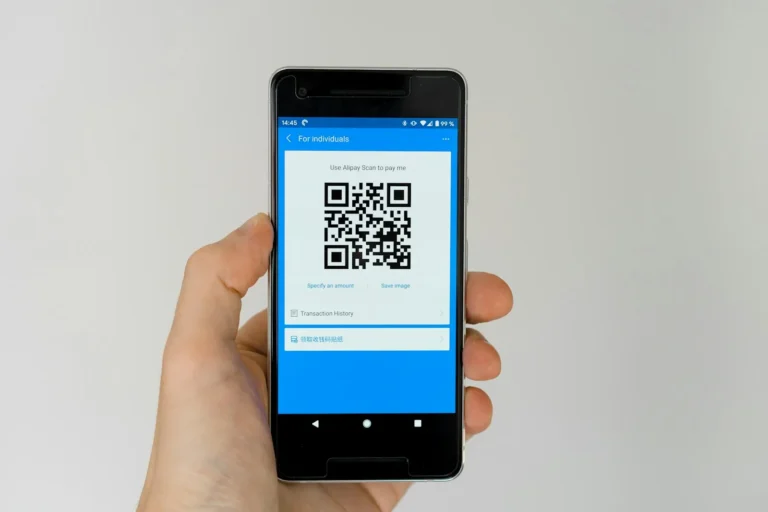
Here’s the part the vendor guides gloss over. There is no card checkout inside the free WhatsApp Business app in India. WhatsApp’s own India payments page describes a UPI feature built for person-to-person transfers, powered by BHIM UPI, and points businesses elsewhere for commercial payment tools. In practice you confirm the cart, send a UPI collect request or your QR, and confirm receipt.
Meta has said UPI payments inside Business AI chats are coming, in the same May 2026 announcement that brought Business AI to Indian small businesses. Until that’s live for your account, plan the payment step as a manual one. And keep it that way regardless of what’s available: WhatsApp’s Business Messaging Policy, last updated on 23 September 2026, tells businesses not to ask people to share full-length payment card numbers or financial account numbers in chat.
How Do You Share Your Catalog So Customers See It?

Share the catalog link itself rather than screenshots of products, and put that link everywhere a customer might ask “what do you have?” WhatsApp lets you share a link to a product or service in a chat or on your status, or into a third-party messaging app, and customers can forward it onward.
Places worth putting it, in rough order of return for a local business:
- Your Google Business Profile, in the products section and in a post, because that’s where people find you when they don’t know your name yet.
- Instagram bio and story highlights. In our view a catalog link converts better than “DM for price,” which forces every interested buyer to start a negotiation before they know the number.
- Your WhatsApp greeting message, so every first-time enquiry gets the catalog without you typing anything.
- Printed at the counter, as a QR to your WhatsApp number, for walk-ins who want to reorder later.
If you send catalog items to a customer who hasn’t messaged you first, stop. The Business Messaging Policy requires opt-in permission before you contact someone, and a forwarded catalog to a cold list is the fastest route to getting your number blocked.
Why Does a Tidy Catalog Matter More in 2026 Than It Did Last Year?
Because your catalog is no longer read only by humans. When Meta launched Business AI on WhatsApp for Indian small businesses on 14 May 2026, it described businesses uploading their product catalog and documents for the AI to reference when it answers customer questions about pricing, discounts, shipping and products, in native Indian languages, around the clock.
That changes the cost of a sloppy catalog. An item with no price and a one-word title used to mean one extra message from a customer. Now it means an automated assistant answering for your business with nothing useful to say, at three in the morning, in the customer’s own language.
The demand side justifies the effort. Meta cited a 2025 Kantar study finding that 91% of online adults in India chat with a business every week, which makes messaging the default way Indians deal with businesses rather than a side channel.
What Gets a Catalog Item Rejected?
Items are reviewed before customers ever see them, and anything that breaks Meta’s commerce rules is rejected. WhatsApp’s documentation states that every image and video uploaded to a catalog is reviewed against the WhatsApp Business Messaging Policy, that items pending review or rejected are not visible to customers, and that a rejected item shows a red exclamation icon next to its image.
The banned list is where ordinary Indian businesses get caught, because WhatsApp’s commerce rules defer to Meta’s Commerce Policy, which explicitly covers the WhatsApp Business catalogue. Four that surprise people:
- Alcohol and tobacco. Both are prohibited outright, which rules out a large part of a bar or restaurant menu.
- Medical and healthcare products and services, including medical devices and ingestible supplements. A clinic can use WhatsApp to talk to patients, but treatment listings and supplement sales don’t belong in the catalog.
- Job listings. The policy states commerce content may not promote job opportunities, so a catalog is not the place to advertise vacancies.
- Gift cards and vouchers, along with event tickets, which are restricted to approved sellers rather than banned. Plenty of Indian retailers sell vouchers without realising this.
Counterfeits, digital subscriptions, used cosmetics, weapons and recalled products are also on the list. If your range touches any of these, check the policy before you spend a weekend photographing stock.
Appealing depends on which catalog you run. In the free app you tap the rejected item, tap Request another review, enter your reason and continue, and if that appeal fails you can reply asking for a third review. For a catalog connected to a WhatsApp Business Account, Meta’s documentation says disapproved items are appealed in Commerce Manager instead.
The quieter risk isn’t the banned-category list. It’s mismatched information: a price in the catalog that doesn’t match the price you quote, or a business name that reads differently here than on your Google Business Profile. The Business Messaging Policy requires accurate, up-to-date profile information and prohibits misleading customers about the nature of your business.
What This Looks Like for a Real Shop

Take a boutique in CR Park with about 120 SKUs, one owner answering WhatsApp, and roughly 60 enquiries a week. The numbers below are illustrative, not a client result, but the shape is what we see in this kind of business.
Before: no catalog, all 120 items living in an Instagram grid. Every enquiry runs “price?”, photo, “size?”, photo, “available?”, and the owner types the same four replies about thirty times a day. Maybe a third of those conversations reach an order, and the rest die when the reply comes two hours late.
After a weekend of setup: 40 items in the catalog rather than 120, chosen as the ones that actually sell. Four collections named the way customers ask, which are Everyday Kurtas, Occasion Wear, Under ₹1,500, and Festive. Every item has a price, a product code from EK-01 to FS-12, and a two-line description covering fabric and fit.
What changes is the shape of the conversation, not the number of enquiries. The greeting message sends the catalog automatically, so the first message a customer sends is often “EK-07 in M?” instead of “price?”. The owner’s reply is one line. A cart arrives instead of a description of a kurta.
The 80 items left out matter as much as the 40 included. A catalog of everything is a catalog nobody finishes scrolling, and the slow-moving stock is better sold in a story or in person.
FAQ
Is the WhatsApp Business catalog free?
Yes. The catalog is a feature of the free WhatsApp Business app, and there’s no charge for adding products or for customers browsing it. Costs only appear if you move to the WhatsApp Business API, which is priced per message.
Can I add prices to my WhatsApp catalog in India?
Usually yes, but confirm it in your own app. WhatsApp states that the ability to add prices to a catalog is only available in certain countries, so the field’s presence is the only reliable test.
How many photos can I add to one catalog item?
Up to 10 images or videos per item, with a 50 MB size limit on a video, according to WhatsApp’s setup guide. Video thumbnails are generated automatically and can’t be edited.
Can customers pay inside WhatsApp?
Not through a checkout in the free Business app in India. Customers send you a cart, and you collect payment separately, normally by UPI collect request or QR, then confirm in the chat.
Why can’t customers see a product I added?
It’s probably still in review or was rejected. WhatsApp reviews every catalog image and video, pending and rejected items stay invisible to customers, and a rejected item carries a red exclamation icon; tap it and choose Request another review to appeal.
Can a clinic or doctor list treatments in a WhatsApp catalog?
No. Meta’s Commerce Policy prohibits commerce content promoting medical and healthcare products and services, including medical devices and ingestible supplements, so clinics should use WhatsApp for patient conversations rather than treatment listings.
Where to Start This Week
Pick your ten best sellers. Photograph them on Sunday morning against one background, add them with prices and product codes, and paste your catalog link into your Google Business Profile and your WhatsApp greeting message. That’s a weekend, and it removes the most repetitive part of your week.
If the volume has outgrown one phone and you’re weighing up the official API, broadcasts and order capture, that’s the point where structure matters more than effort. See what’s included at each tier on our WhatsApp marketing page and our packages page, or message us and tell us how many enquiries a week you’re handling now.
About the Author