
Last updated:
A dental clinic in South Delhi paid for a website redesign last year. New photos, a cleaner layout, a booking form that finally worked on a phone. Everyone was happy for about three weeks.
Then the enquiries dried up. The old site had a page at /dental-implants-delhi that had quietly brought in two or three calls a week. In the new build, that page became /services/implants, with nothing pointing the old address at the new one. Google kept sending people to a 404 for a month before it gave up and dropped the page.
The design was better. The business was worse off. That gap is what this post is about: how to tell when a website redesign is genuinely the right call, and how to run one without throwing away the search traffic you already have.
TL;DR
- A website redesign means rebuilding structure, content and layout together. If your only complaint is that the site looks dated, a redesign is often more surgery than you need.
- The signs that justify one: it fails on phones, it’s slow enough to fail Core Web Vitals, you can’t edit it yourself, the structure no longer matches what you sell, or it’s built on software nobody supports any more.
- The single biggest risk is URL changes. Google’s own site move guidance is to map every old URL to a new one and redirect it, and to keep those redirects “for as long as possible, generally at least 1 year.”
- Expect a wait, not a switch. Google says a small-to-medium site can take “a few weeks” for most pages to move across, and larger sites take longer.
- Benchmark before you touch anything: rankings, top landing pages, form and call volume, and your Core Web Vitals. Without a baseline you can’t tell whether the redesign worked.
What Is a Website Redesign?
A website redesign is a rebuild of how your site looks, how its pages are organised and what they say, usually on a new template or a new platform. It’s different from a refresh, which changes colours, fonts and images while leaving the page structure and URLs alone.
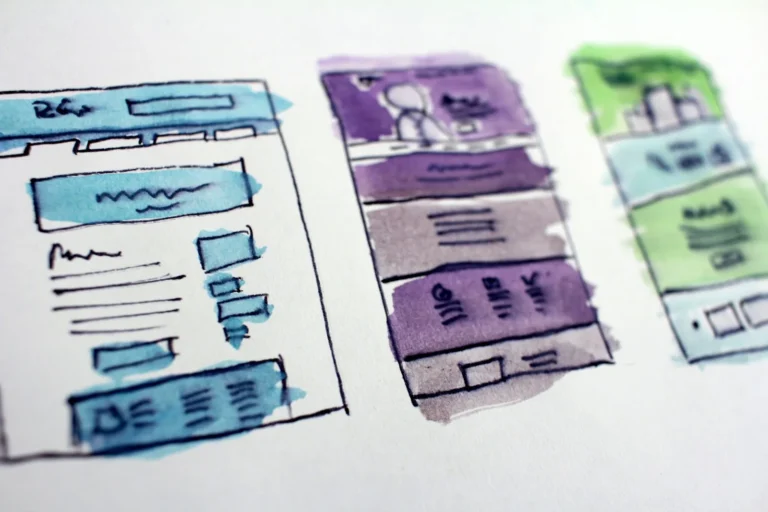
The distinction matters because the two carry completely different levels of risk. A refresh touches presentation. A redesign usually touches your URL structure, your navigation and your page copy, which is to say the three things Google uses to work out what your site is about.
Three versions of this work get sold under similar names:
- Refresh. New visuals on the existing pages. Same URLs, same structure. Low risk, quick.
- Redesign. New layout, new page structure, rewritten content, often a new theme. URLs frequently change. This is where rankings get lost.
- Replatform. Moving from one system to another, say a hand-coded site to WordPress or Shopify. Everything changes at once, including the technical setup.
If someone quotes you for a “website revamp,” ask which of the three they mean before you compare prices. The word covers all of them.
How Do You Know You Need a Website Redesign?
You need a redesign when the problem is structural rather than cosmetic: the site doesn’t work properly on a phone, it’s too slow to hold visitors, you can’t update it without paying someone, or its page structure no longer matches the services you actually sell. Looking old is not, on its own, one of these.

Here are the signs worth acting on.
It breaks on phones. In August 2026, mobile devices accounted for 64.45% of web traffic in India, against 34.97% for desktop, according to Statcounter. Open your own site on your phone and try to do what a customer would do: find your prices, tap the phone number, fill the enquiry form. If any of that is fiddly, you’re losing most of your audience.
It’s slow enough to fail Core Web Vitals. Google’s thresholds are a Largest Contentful Paint under 2.5 seconds, an Interaction to Next Paint of 200 milliseconds or less, and a Cumulative Layout Shift of 0.1 or less, measured at the 75th percentile of page loads. If your site misses these badly on mobile and the cause is a bloated theme or a stack of plugins, patching rarely fixes it. You’re in reasonable company, though: the HTTP Archive’s 2025 Web Almanac found only 48% of mobile pages had good Core Web Vitals overall, with loading speed the weakest of the three.
You can’t change anything yourself. If adding a service or a festival offer means emailing the person who built it and waiting a week, the site is a bottleneck. This one costs you more than it looks, because it quietly stops you from publishing anything.
The structure no longer matches the business. Plenty of sites start as a one-page brochure and never grow up. If you now run six services out of a single page that mentions all of them, no page can rank for anything specific, and no visitor can find what they came for.
It’s running on unsupported software. An old WordPress version, an abandoned theme, or a page builder that stopped getting updates is a security problem first and an SEO problem second. If your developer’s answer is “we can’t update it without breaking the layout,” that’s a rebuild waiting to happen.
Nobody can tell you what it’s doing. No Google Analytics, no Search Console, no record of which pages bring enquiries. Sometimes the honest answer here is to fix the measurement first and decide afterwards.
When Should You Fix Your Site Instead of Redesigning It?
Fix rather than redesign when the site’s structure is sound and only specific pieces are failing, since a targeted fix costs less, ships in days, and carries almost no ranking risk. A full redesign resets the clock on a site Google already trusts, and that trust is worth protecting.

Things that are usually a fix, not a rebuild:
- Thin or outdated copy on two or three pages
- Missing or duplicated title tags and meta descriptions
- One heavy hero image dragging your LCP over the line
- A contact form that doesn’t deliver to your inbox
- No Google Business Profile link, no location page, no schema markup
- Photos from 2019
We’d rather run a month of fixes and see what changes than sell a rebuild on day one. Sometimes the fixes solve it, and you’ve saved a large chunk of money. Sometimes they don’t move anything, and now you have evidence that the problem really is structural. Either way you’ve learned something before committing.
The honest test: write down the three things you want the website to do better. If all three can be done inside the current site without changing its URLs, you don’t need a redesign yet.
What Drives the Cost of a Website Redesign?
Website redesign cost is driven by page count, how much content has to be written from scratch, whether custom design work is involved, and how much technical migration the site needs. Two quotes for “a 10-page website” can differ by several times over because they include different amounts of each.

What pushes a quote up:
- Pages, and how different they are. Ten pages off one template is not the same job as ten pages with five distinct layouts.
- Content. Rewriting service pages properly takes real time. A quote that assumes you’ll supply all the copy is cheaper and often stalls for months while you don’t.
- Photography and video. Stock images are free-ish. A shoot at your clinic or showroom isn’t, and it’s usually the thing that makes the site look like yours.
- Functionality. Booking, payments, a product catalogue, a member login, multi-language support. Each of these is its own project.
- Migration work. URL mapping, redirects, and preserving your existing rankings. This is the line item most likely to be missing entirely. Ask for it by name.
Two things to watch on any quote. First, confirm you’ll own the domain, hosting account and site files at the end, not the agency. Second, ask what happens after launch: a site handed over with no support window tends to sit untouched for a year.
Leyscale prices website work in three tiers, with bundle and term discounts published on our packages page. Exact figures depend on the scope above, so they come as a quote rather than a fixed rate card.
How Do You Redesign a Website Without Losing Your Google Rankings?
You protect rankings by mapping every existing URL to its replacement and setting a permanent redirect for each one before launch, then monitoring both sets of URLs afterwards. Google’s guidance is explicit: prepare a URL mapping, configure server-side redirects, and use 301 or 308 status codes for permanent moves.

Here’s the sequence that works.
1. Take a baseline, before anything changes.
Export your current pages and their traffic from Google Analytics, your ranking queries and top pages from Search Console, and a full list of URLs from your sitemap or a crawl. Save the numbers somewhere you’ll find them in three months. If you skip this step you will never be able to prove what the redesign did, in either direction.
2. Find the pages that actually earn.
On most small business sites, a handful of pages bring nearly all the organic enquiries. Those pages get protected at all costs: same URL if possible, same core content, same headings. Redesign around them rather than through them.
3. Build the URL map.
One row per old URL, one column for the new one. Every page, including the ones you’re deleting. A deleted page still needs a decision: redirect it to the closest relevant page, or let it return a 404 on purpose. Redirecting everything to the homepage is the classic mistake, and Google treats those as soft 404s rather than as real replacements.
4. Set permanent server-side redirects.
301 or 308, applied on the server, not a meta refresh or a JavaScript hop. Google’s site move documentation says to keep redirects “for as long as possible, generally at least 1 year.” If you’re also moving to a different domain, use the Change of Address tool in Search Console, which forwards signals for 180 days, and keep the redirects going well past that.
5. Keep the content that was working.
A redesign is a tempting moment to cut wordy pages down to something prettier. Be careful. If a page ranks, the words on it are part of why. Restructure and tighten, but don’t delete half the substance and expect the position to hold.
6. Check the technical basics on staging.
Before launch: the staging site is blocked from indexing but the live one isn’t, canonical tags point at the new URLs, the XML sitemap lists only new URLs, robots.txt doesn’t block anything important, and title tags and meta descriptions have carried over or been deliberately improved. Also confirm analytics and conversion tracking fire on the new templates, because they frequently don’t.
7. Launch, then watch closely.
Submit the new sitemap. Recrawl the old URL list and confirm each one returns a 301 to the right page. Then watch Search Console’s coverage and performance reports weekly. Google’s own timeline for this is “a few weeks or more” for a medium-sized site, so a dip in the first fortnight is normal. A dip that’s still deepening after six weeks is not.
8. Give it a quarter before judging.
Rankings wobble during a migration. Compare like with like: the same queries, the same pages, the same 28-day window a year apart if you have the data.
What Should You Measure After Launch?
Measure the same things you baselined: organic clicks and impressions by page, positions for your money queries, enquiry volume by channel, and Core Web Vitals on mobile. A redesign that improves all four is a success even if someone in the family thinks the old logo was nicer.
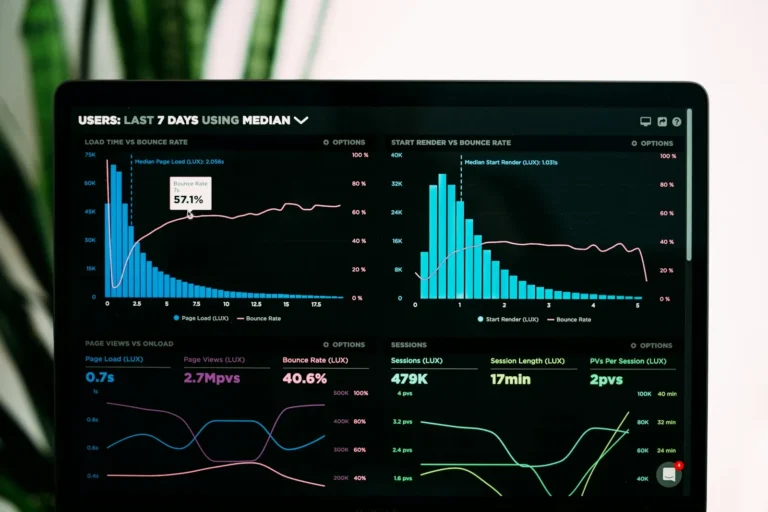
Set a review at 30, 60 and 90 days. At 30 days you’re checking for breakage: crawl errors, redirect chains, missing tracking. At 60 days you’re looking at whether impressions have recovered. At 90 days you’re asking the only question that matters, which is whether more people are calling, messaging or filling in the form than before.
One thing worth adding on launch day: ask every new enquiry how they found you. A tally sheet at the counter beats a dashboard for a small business, and it catches the traffic analytics never attributes properly.
A Worked Example: Redesigning a Six-Page Clinic Site
This is an illustrative walkthrough, not a client result. Say a physiotherapy clinic in CR Park has a six-year-old site: six pages, no HTTPS issues, decent content but slow, and two pages that bring almost all its enquiries.

Before
- 6 pages, single-column mobile layout that breaks the booking form
- Two earners:
/back-pain-treatment-delhiand/sports-injury-physiotherapy, together about 70% of organic enquiries - LCP around 4.1 seconds on mobile
- No Search Console property
- Owner can’t edit anything without the original developer
The plan
- Verify Search Console first and collect 28 days of baseline data before touching the build
- Keep both earning URLs exactly as they are, including their headings and the bulk of their copy
- Split the combined “Services” page into four service pages, each on a new URL
- Redirect the old combined page to the new services hub, and add the four new pages to the sitemap
- Rebuild on a maintained WordPress theme the owner can edit
- Launch mid-week, not on a Friday, and recrawl the old URL list the same evening
What to expect
The two protected pages should hold their positions, because nothing about them changed. The four new service pages start from scratch and will take weeks to settle, which is fine, since they weren’t ranking before either. Overall impressions probably dip for two to four weeks while Google reprocesses the site. The measurable win in month one isn’t rankings at all: it’s the booking form working on a phone.
That’s the trade to understand before you start. A redesign done carefully protects what you have and gives you room to grow. Done carelessly, it swaps a working site for a good-looking one.
How Leyscale Approaches a Website Redesign
Leyscale’s website design and development service is built for owner-led retail, food and beverage, healthcare and real estate businesses across Delhi NCR. We start every redesign the same way: baseline the current site, identify the pages that already earn, and build the URL map before anyone opens a design file.
The migration checklist above is part of the build, not an add-on. Redirects, sitemap, canonical tags and tracking are checked on staging and verified again after launch, and our SEO service covers the monitoring through the first 90 days. How We Work walks through the cycle in detail.
We’ll also tell you when you don’t need a redesign. If a month of fixes gets you most of the way, that’s the better-value answer and we’d rather say so.
FAQ
Will a website redesign hurt my Google rankings?
It can, if URLs change without redirects in place. If you map every old URL to a new one and set permanent 301 redirects before launch, most sites see a temporary dip that recovers within a few weeks rather than a lasting loss.
How long does a website redesign take?
Most small business sites take four to eight weeks from brief to launch, with content and photography usually the slowest parts. Add time if you’re also changing platform or domain, since the migration checks need proper attention.
How often should a website be redesigned?
There’s no fixed interval. Redesign when the site stops doing its job on mobile, stops being editable, or no longer matches what you sell, and run smaller fixes in between rather than waiting for a five-year overhaul.
What’s the difference between a website redesign and a website revamp?
They’re often used interchangeably. In practice a revamp usually means a visual refresh with the same page structure and URLs, while a redesign rebuilds structure and content too. Ask which one a quote covers before comparing prices.
Do I need to change my URLs during a redesign?
No, and you should avoid it where you can. Keeping existing URLs is the simplest way to protect rankings. Only change a URL when the page’s purpose genuinely changes, and redirect the old one when you do.
How long should redirects stay in place after a redesign?
Google’s site move guidance says to keep them for as long as possible, generally at least a year. For a domain change, keep them at least 180 days past the Change of Address period, and longer if old URLs are still getting traffic.
Thinking About a Redesign? Get a Second Opinion First
If your site looks tired but you’re not sure whether it needs rebuilding or repairing, that’s worth ten minutes before it’s worth a quote. Send us your URL and we’ll tell you plainly which pages are earning, what’s actually broken, and whether a redesign is the right spend right now.
About the Author