Last updated:
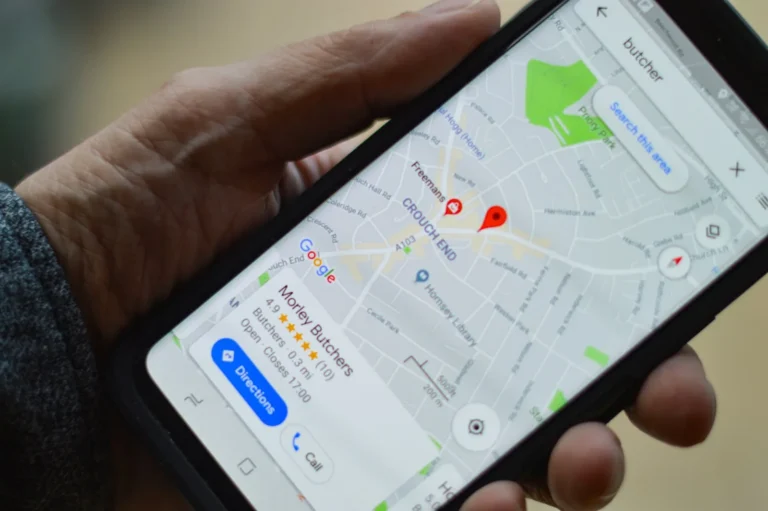
Say a physiotherapy clinic in Noida wants to start Google Ads. Before anyone opens an ads account, search the clinic’s name on Google Maps and look at what a patient would see. The profile is listed as a generic “Medical clinic,” the name has “Best Physio in Noida” tacked onto it, there are six reviews (the newest from 2025), and the only photo is a blurry shot of the reception desk.
Ads would send people straight to that profile. So we fix the profile first.
That’s the rule we work to for any local business, and this post is the exact Google Business Profile optimization checklist we run before touching ads or SEO. It’s written for owner-led businesses in Delhi NCR (clinics, salons, restaurants, showrooms, service providers) who want to do it themselves or check what an agency is doing for them.
TL;DR
- Google Business Profile optimization means filling in and maintaining your free Google listing so it shows up, and gets chosen, when people nearby search for what you sell.
- Google says local results are mainly based on relevance, distance and popularity, and that you can’t pay for a better local ranking.
- The highest-impact fixes are the right primary category, a clean business name with no keywords added, accurate hours and a steady flow of fresh reviews.
- Reviews need to be recent. In BrightLocal’s 2026 survey of US consumers, 47% said they won’t use a business with fewer than 20 reviews, and 74% only care about reviews from the last three months.
- In a live Google Maps check for “physiotherapist” around Noida Sector 62 on September 22, 2026, all 9 rated listings in the top 10 scored 4.9 or 5.0, and 7 of them had 50 or more reviews.
- Reply to every review, briefly and personally. Offering discounts or freebies in exchange for reviews breaks Google’s rules.
What Is Google Business Profile Optimization?
Google Business Profile optimization is the work of making your free Google listing (formerly called Google My Business) complete, accurate and active, so it appears in Maps and local search results and convinces people to call or visit. It covers your name, category, address, hours, description, services, photos, reviews and posts.
Google is fairly open about how local results work. Its help page on improving your local ranking says results are “mainly based on relevance, distance, and popularity.” You can’t change distance. You can change the other two:
- Relevance is how well your profile matches the search. Google says to “provide complete and detailed business info” so it can match you to the right searches.
- Popularity is how well known and well rated you are. The same page says “more reviews and positive ratings can help your business’s local ranking.”
Google also says, in the same place, that “there’s no way to request or pay for a better local ranking.” Anyone selling you a guaranteed Map Pack spot is selling something Google says doesn’t exist.
Why Do We Fix the Profile Before Ads or SEO?
Because the profile is where most local customers make up their mind, and every other channel sends people to it. A strong ad or a well-ranked web page that leads to a thin, outdated profile loses the customer at the last step.
Think about how your own customers behave. Someone searching “physiotherapist near me” sees three or four profiles on a map, compares stars, review counts and photos, and taps call. Plenty of them decide from the profile alone.
There’s a newer reason too. BrightLocal’s 2026 Local Consumer Review Survey found that use of ChatGPT and other AI tools for local recommendations jumped from 6% to 45% in a year. Those tools lean on public business information and reviews. An accurate, well-reviewed profile helps you in Google and in the answers AI tools give.
And it costs nothing but time. That’s why it comes first in our SEO work for any business with a shop, clinic or service area.
What’s on the Google Business Profile Optimization Checklist?

The checklist has ten items, in the order we do them. The first five fix the basics Google checks against its guidelines, and the last five build the signals that get you chosen.
1. Confirm who owns and manages the profile
Before editing anything, find out whose Google account owns the listing. It’s common for a profile to have been set up years ago by a former employee, a relative or a previous agency, with nobody still holding the login.
The business owner should be the primary owner. An agency should be added as a manager, never the owner, so you keep control if you ever part ways. Also make sure the profile is verified. Google’s local ranking page says verification tells Google “you’re authorized to represent the business, so it’s more likely to show up in search results.”
2. Clean up the business name
Use your real business name, exactly as it appears on your signboard, bills and website. Nothing else.
It’s also one of the easiest rule breaks to spot on Delhi NCR Maps results. When we checked the top 10 physiotherapists around Noida Sector 62 in September 2026, two listings had service or location phrases tacked onto their real name. “Sharma Dental Clinic – Best Dentist in Lajpat Nagar” isn’t a business name, it’s an ad. Google’s guidelines for representing your business are blunt: “Including unnecessary information in your business name isn’t permitted, and could result in the suspension of your Business Profile.” A suspended profile can drop out of Maps altogether, which is far worse than any ranking boost the keywords might have given you.
3. Get the address or service area right
If customers visit you, show your full address and make sure the map pin sits on your actual door, not the middle of the market. If you go to customers (pest control, AC repair, home tutors), set a service area and hide your address.
One hard rule from the same guidelines: a virtual office “isn’t eligible for a Business Profile.” Renting a co-working desk address in Gurgaon just to appear there puts the listing at risk.
4. Choose the right primary category
Your primary category is the single biggest relevance signal you control. Google’s category help page says to pick the one “that best describes your business” and to be specific: “instead of ‘Salon,’ choose ‘Nail salon.'”
For the physio clinic, “Physiotherapist” beats “Medical clinic.” For a cake shop, “Cake shop” beats “Bakery” if cakes are most of what you sell. Add a few secondary categories only for things you genuinely are. Google’s guidelines say to use “as few categories as possible to describe your overall core business” and not to use categories “solely as keywords.” A handy test from Google: the category should finish the sentence “This business IS a…”, not “This business HAS a…”.
5. Set regular hours and special hours
Wrong hours cost you twice. The customer who drives over and finds your shutter down won’t come back, and they may leave a review saying so.
Set your normal hours, then use special hours for Diwali, Holi, Eid, election days and any planned closure. Put the festival calendar in your phone now. It’s a two-minute job that most profiles skip.
6. Check your phone number and website link
Use a phone number that rings at the business. Google’s guidelines ask for a number connected directly to the location, and they don’t allow premium-rate numbers. If you have one number per branch, each branch profile should show its own.
Link the website field to the most useful page for that location. For a multi-branch business, that’s usually the branch page, not the homepage.
7. Write a plain, specific business description
You get up to 750 characters. Google’s editing guidelines say not to include URLs or HTML, and to focus “primarily on details about your business instead of details about promotions, prices, or sales.”
Say what you do, who you do it for, where, and what makes you different, in the words customers use. “Sports injury and post-surgery physiotherapy in Sector 62, Noida, with home visits across Noida and Greater Noida West” tells Google and a patient far more than “We provide world-class healthcare solutions.”
8. List your services or products
Add every service or product you actually offer, using the names customers search for. A salon should list “keratin treatment” and “bridal makeup” separately, not just “hair services.”
This is also where you answer the questions people used to ask in comments. If you offer home visits, parking, card payments or a women-only section, make sure it’s stated in your services, attributes or description.
9. Add real photos, and keep adding them
Photos tell customers whether you’re the kind of place they want. Start with a logo, a cover photo, an exterior shot (so people can find the entrance), the interior, your team at work and your best work.
Google’s photo guidelines ask for JPG or PNG files between 10 KB and 5 MB, with 720 x 720 pixels recommended. Videos can be up to 30 seconds. Photos should be “in focus and well lit” without heavy filters. Stock images don’t help. A real photo of your physiotherapist with a patient does.
10. Build a review routine and a posting habit
These last two are ongoing, so they get their own sections below. The short version: ask every happy customer for a review, reply to every review, and publish a Google post at least once a month.
How Many Google Reviews Does a Local Business Need?

More than most owners think, and they need to be recent. Aim for at least 20 to start, then a steady trickle every week or two rather than a burst every few months.
BrightLocal’s 2026 survey of US consumers puts numbers on this. It’s US data, so treat it as a direction rather than an Indian benchmark. The Noida results in the next section point the same way:
| Finding (BrightLocal, 2026) | What it means for you |
|---|---|
| 97% of consumers read reviews for local businesses | Your reviews are part of your shopfront |
| 47% won’t use a business with fewer than 20 reviews | Six reviews looks like a business nobody uses |
| 74% only care about reviews written in the last three months | A great review from 2023 barely counts |
| 68% will only use a business rated 4 stars or higher | One bad month can take you under the line |
How you ask matters more than how often. Google’s review guidance suggests asking customers to use a review link or scan a QR code. To get yours, Google’s review link help page says to open your profile on a computer, select Read reviews, then Get more reviews, and copy the link or save the QR code. Print the QR code for the counter and send the link on WhatsApp after the visit. What you can’t do is offer “free or discounted goods or services” in exchange for reviews. Google treats that as fake content, and it can get reviews removed.
What Do the Top Google Maps Results Look Like in Noida?

They’re well reviewed, highly rated and mostly close by, with a few exceptions that show how Google’s three factors trade off against each other. On September 22, 2026, we ran a live Google Maps search for “physiotherapist” from Sector 62, Noida, using our SEO research tool, and looked at the top 10 listings.
| What we found (top 10 for “physiotherapist”, Sector 62, Noida) | What it shows |
|---|---|
| 9 of the 10 listings showed a rating, and all 9 were rated 4.9 or 5.0 | A 4.5 average stands out, and not in a good way |
| 7 of those 9 had 50 or more reviews; the median was 83 | 20 reviews gets you considered, not chosen |
| The #2 listing had just 1 review but is based in Sector 62 itself | Distance can outweigh reviews for a searcher nearby |
| Three Indirapuram clinics, across the Ghaziabad border, made the top 10 with 105 to 289 reviews each | Popularity can carry you into searches beyond your own sector |
| 2 listings had service or location keywords added to their business name | Rule breaks do show up, and they risk suspension under Google’s name guidelines |
This is one search, from one spot, on one day, so read it as a snapshot rather than a rule. Maps results shift with the searcher’s exact location. Still, it’s a useful yardstick: run the same search for your own category from your own street and count the reviews on the listings above you.
How Should You Reply to Google Reviews?

Reply to every review, good or bad, within a few days, and make each reply personal. Short and specific beats long and polished.
This is where most businesses slip. The same BrightLocal survey found 89% of consumers expect owners to respond, and templated or generic replies make 50% of consumers unlikely to choose the business. Google’s own advice is to keep replies “short and simple,” and for negative reviews to “respond in a timely manner” and acknowledge the reviewer’s specific feedback.
Here’s the difference in practice. A generic reply: “Thank you for your valuable feedback. We strive for excellence.” A useful reply to a complaint about waiting time: “Sorry about the 40-minute wait on Saturday, Rohit. Saturdays were overbooked and we’ve since added a second physio in the mornings. Please call the front desk and we’ll fix a time that suits you.”
The second one is written for Rohit, but it’s really for the next hundred people who read it.
What Should You Stop Doing on Your Profile?
Stop anything that tries to game the profile rather than improve it. These shortcuts either break Google’s rules or quietly hurt you:
- Keywords in the business name. Suspension risk, as covered above.
- Paying for reviews, or trading discounts for them. Google counts incentivised reviews as fake content.
- Asking only happy customers to leave reviews through a filtered form. It’s the same problem in a different outfit, and customers can spot a wall of identical five-star reviews.
- Picking ten loosely related categories. It muddies relevance rather than adding to it.
- Listing a virtual office or a relative’s address to appear in a second area.
- Buying “Map Pack ranking” packages. Google says rankings can’t be bought.
A Worked Example: A Noida Physio Clinic’s First 90 Days
This is an illustrative example based on the kind of clinic described at the top, not a specific client result. The numbers are there to show the order of work, not to promise an outcome.
Week 1: the basics. The owner confirms they’re the primary owner and adds the agency as a manager. We remove “Best Physio in Noida” from the name, change the primary category from “Medical clinic” to “Physiotherapist,” move the map pin to the clinic’s actual entrance, set special hours for the Diwali week, and rewrite the description around sports injuries, post-surgery rehab and home visits.
Weeks 2 to 3: services and photos. Eight services go in, each named the way patients search (“frozen shoulder treatment,” “knee replacement rehab”). The team uploads 25 real photos: the exterior with the signboard, treatment rooms, equipment and staff at work.
Weeks 3 to 12: reviews and posts. Reception sends the review link on WhatsApp after every completed course of treatment, and a QR code stand sits at the front desk. Say the clinic finishes about 15 courses a week and one in five patients leaves a review. That’s roughly three new reviews a week, taking the profile from 6 reviews to around 35 in ten weeks. That still trails most of the top 10 in the Sector 62 check above, which is why the routine keeps running after week 12. Every review gets a reply within two days. One Google post goes up every other week, covering things like a new evening slot or a home-exercise tip.
What we measure. Calls, direction requests and website clicks from the profile’s performance view in Business Profile, compared month on month, plus how many new patients say “I found you on Google.” Only after the profile is in this shape do we switch on ads, which now send people to a listing that can actually convert them.
How Often Should You Update Your Google Business Profile?

Weekly for reviews, monthly for posts and photos, and quarterly for a full check of every field. A profile that looks abandoned loses customers even if every detail is technically correct.
A simple routine that works for most small businesses:
- Every week: reply to new reviews, send the review link to recent customers.
- Every month: publish at least one post (Google archives posts older than six months unless you set a date range), add a few new photos.
- Before every festival or holiday: update special hours.
- Every quarter: recheck categories, services, description, phone and website link, and make sure nothing has been changed without your knowledge.
How Leyscale Handles Google Business Profile Work
Google Business Profile setup and optimization is included from the Starter tier of our SEO service, because for a shop or clinic it’s usually where the first calls come from. Growth and Premium add local directory citations on top. You can see what each tier covers on our packages page, and how we plan and report each month on our How We Work page.
If you’re comparing local SEO options across the region, our guide to SEO services in Delhi NCR explains where the profile fits into the bigger picture.
FAQ
What is Google Business Profile optimization?
It’s the process of completing and maintaining your free Google listing, including your name, category, hours, description, services, photos, reviews and posts, so it appears in local results and persuades people to contact you.
Is Google My Business the same as Google Business Profile?
Yes. Google My Business is the old name for the same free listing, now called Google Business Profile. Guides and checklists that use either name are talking about the same thing.
Can I add keywords to my business name on Google?
No. Google’s guidelines say adding unnecessary information to your business name isn’t permitted and could get your Business Profile suspended. Use your real-world business name exactly as it appears on your signage.
How many categories should I choose on my Google Business Profile?
Pick one specific primary category that best describes your business, and add only a few secondary categories for things your business genuinely is. Google advises using as few categories as possible.
How do I get my Google review link?
Open your Business Profile at business.google.com on a computer, select Read reviews, then Get more reviews, and copy the link or save the QR code. Share it on receipts, on WhatsApp after a visit, or on a printed display at the counter.
Can I pay Google to rank higher on Maps?
No. Google states there’s no way to request or pay for a better local ranking. Paid ads are a separate product, labelled as ads, and don’t change your organic local position.
Want a Second Pair of Eyes on Your Profile?
If you’d like us to run this checklist on your listing, send us your business name and area. We’ll tell you plainly which three fixes will make the biggest difference, whether you work with us or do them yourself.
About the Author