Last updated:
A physiotherapist in Gurgaon tells a nephew to “just make a website”. Three weekends later there are four half-finished pages, a theme that was changed twice and no contact form. Nothing is wrong with WordPress. The order of work was wrong: design came before hosting, and pages came before a plan.
This guide shows you how to build a WordPress website in the order that works for a small business. You will pick a domain and host, install WordPress, choose a theme, build the pages customers look for and check the basics before launch. No coding is needed. If you have wondered how to build a WordPress website without hiring anyone, the nine steps below are the whole job.
Key Takeaways
- Learning how to build a WordPress website is easier on a safe default, and WordPress is one. W3Techs reports it runs about 39.5% of all websites and holds a 58.2% share of known content management systems (data as of November 2, 2026).
- To build a WordPress website you need four things: a domain name, hosting, WordPress itself and a theme.
- Check that your host meets WordPress’s published requirements: PHP 8.3 or greater, MariaDB 10.11 or newer or MySQL 8.0 or newer, and HTTPS.
- Start with five pages: Home, About, Services, Contact and one proof page (reviews or work samples).
- Set clean permalinks, untick “discourage search engines” on launch day and install only the plugins you can explain.
- The nine steps for how to build a WordPress website, in order: plan, choose WordPress.org, pick a domain and host, install, choose a theme, build pages, change settings, add plugins and run launch checks.
- Do not build everything at once. Launch the five pages, then add more.
What Do You Need Before Learning How to Build a WordPress Website?
You need a domain name, a hosting plan and a clear list of pages, in that order. The domain is your address (for example, yourclinic.in), hosting is the computer that stores the site, and the page list stops you redesigning forever.
Spend ten minutes on paper first. Write down what a customer wants to know in their first visit: what you do, where you are, how to reach you, and why to trust you. Those answers become your pages, and they make every later step of how to build a WordPress website faster. If you want a cost picture before committing, our guide to website development cost in India breaks down what different routes usually involve.
WordPress.org or WordPress.com: Which One Should You Use?
For a business site you control, use the software from WordPress.org on your own hosting. That is the version this guide covers, and it is the one most Indian hosts install with a single click. WordPress.com is a separate hosted service with its own plans and limits, so check what a plan allows before choosing it.
The practical difference is ownership. With your own hosting you choose the host, you can move the site later and you decide which themes and plugins to run. When people ask how to build a WordPress website that they fully own, this is the answer.
How Do You Choose a Domain and Hosting to Build a WordPress Website?
Pick a short domain people can say aloud, then buy hosting that meets WordPress’s stated requirements. On the official requirements page, WordPress recommends PHP 8.3 or greater, MariaDB 10.11 or newer or MySQL 8.0 or newer, and a host that supports HTTPS. It names Apache and Nginx as its recommended web servers.
Before you pay, ask the host three questions:
- Which PHP version will my account run, and can I change it?
- Is a free SSL certificate (HTTPS) included?
- Can I take backups, and how do I restore one?
If a host cannot answer these plainly, keep looking. For the domain itself, prefer your business name, avoid hyphens and numbers, and check that the same name is free on Instagram and Google Business Profile so your brand matches everywhere. Hosting and a domain are the only fixed running costs when you build a WordPress website yourself.
How Do You Install WordPress?

Use your host’s one-click installer, or install by hand if it does not have one. WordPress’s own installation guide says a typical install takes less than five minutes and notes that many hosts offer automated install tools.
Whichever route you take, the setup screen asks for the same things:
- Site title
- Admin username
- A password (entered twice)
- Your email address
- A checkbox to discourage search engines from indexing the site
Two tips. First, do not use “admin” as the username or a password you use elsewhere. Second, tick the “discourage search engines” box while you are still building, then untick it on launch day. All of these details can be changed later in the admin screens, according to the same guide. Forgetting to untick that box is a common reason a new site never shows up on Google, so add it to your plan for how to build a WordPress website and launch it properly.
How Do You Choose a WordPress Theme?
Choose a simple, well-maintained theme that fits your content, then change its colours, fonts and logo. A theme controls how the site looks. It should not be the thing that holds your site together.
Use this short test before activating one:
- Does the demo look good on a phone? Most of your visitors will arrive on one.
- Was it updated recently, and does it say which WordPress version it works with?
- Does it load without a long list of required plugins?
Resist feature-heavy themes that promise forty layouts. A bakery needs a menu, photos and a way to order. It does not need a mega-menu with animations. You can always change themes later, and clean content moves across far better than fancy design does. Choosing a plain theme is the quickest way to build a WordPress website that stays easy to manage.
Which Pages Should a Business Website Have?
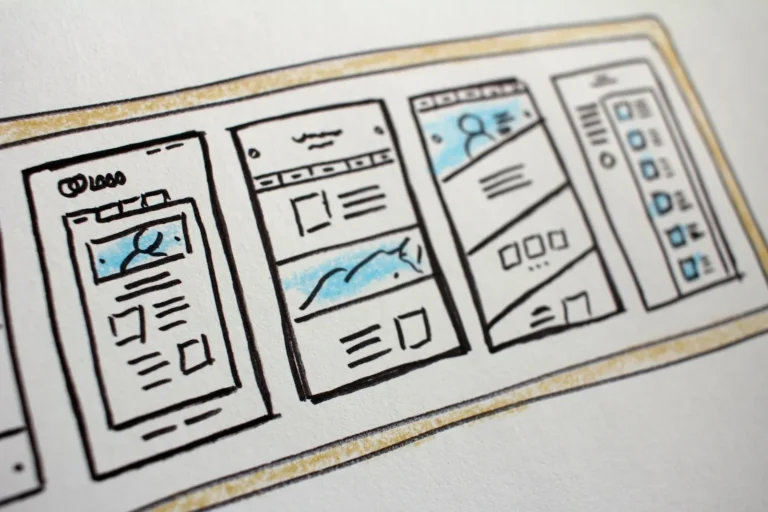
Beginners asking how to build a WordPress website often try ten pages at once. Start with five: Home, About, Services (or Products), Contact and a proof page. Add more only when a customer question needs its own page.
| Page | What it must do |
|---|---|
| Home | Say what you do, where, and for whom, in the first screen. Link to Services and Contact. |
| About | Show the people and the history. Customers like to see who they are calling. |
| Services | One section per service in plain words. Later, split each into its own page. |
| Contact | Phone, WhatsApp, email, a short form and a map link. |
| Proof | Reviews, before-and-after photos or a few client results. |
In WordPress, go to Pages > Add New to create each one, then Appearance > Menus to put them in your navigation. Keep the menu to six items or fewer.
A worked example, with invented numbers: say a dental clinic opens with these five pages and gets twelve enquiries in the first month, mostly from the Contact page. The owner then sees from the enquiries that people keep asking about braces, so a separate Braces page is added. The site grows from real questions, not guesses, and that is the most practical lesson in how to build a WordPress website that keeps improving.
What Settings Should You Change Before Launch?
These settings are the quiet half of how to build a WordPress website. Fix permalinks, set your site title and tagline, and unblock search engines. These take ten minutes and affect how your pages appear in search.
Permalinks. Go to Settings > Permalinks. WordPress documents a “Post name” option that gives URLs like example.com/sample-post, as shown on its permalinks screen guide. Short readable URLs are easier to share, and Google advises including words in the URL that are useful to users rather than random identifiers. Choose this before you publish anything, because changing it later changes every address.
Titles and descriptions. Google says a good page title is “unique to the page, clear and concise”. Write one for each page. Meta descriptions are not always used, but Google says a snippet may occasionally come from that tag, so a short, specific one is worth writing. Our on page SEO checklist covers titles, headings and links in more detail.
Search visibility. Under Settings > Reading, make sure the discourage-search-engines box is unticked once you are live.
Which WordPress Plugins Do You Actually Need?
Anyone learning how to build a WordPress website is tempted to install twenty plugins. You need fewer than that: one for security and backups, one for SEO basics, one for forms and, only if needed, one for speed caching. Every plugin is extra code to update, so install a plugin only when you can say what job it does.
A sensible starter set:
- SEO plugin: manages titles, descriptions and an XML sitemap. Google’s guide treats a sitemap as optional, so do not stress over it.
- Contact form plugin: so enquiries land in your inbox.
- Backup and security plugin: or use the backup tools your host provides.
- Caching plugin: only if your host does not already offer caching.
Delete plugins and themes you are not using. Inactive code still needs updates. This habit matters long after you finish learning how to build a WordPress website, because most problems on small sites come from neglected add-ons.
How to Build a WordPress Website Without Launch Mistakes: What Should You Check?
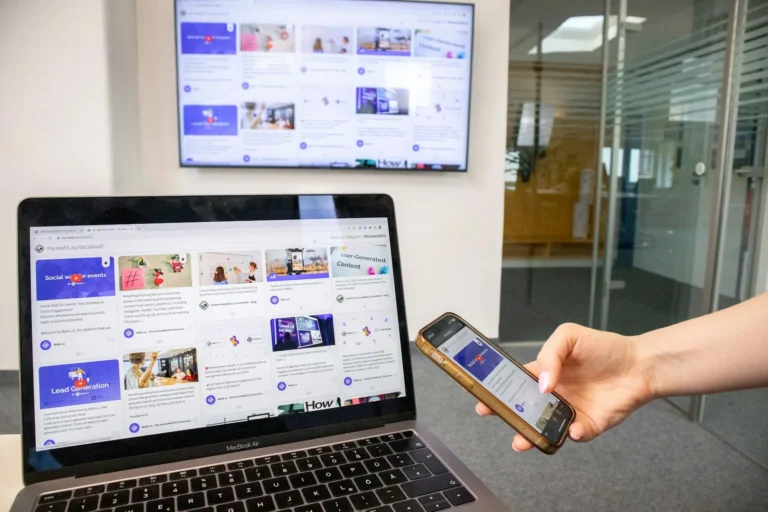
Test every link, form and phone number on a real phone, then confirm the site loads over HTTPS. A launch checklist beats a launch party.
- Submit the contact form and confirm the email arrives.
- Tap the phone and WhatsApp links on a mobile.
- Read every page aloud once; fix typos and old placeholder text.
- Delete the sample post, sample page and “Hello world”.
- Untick “discourage search engines” under Settings > Reading.
- Confirm a backup exists.
- Add your site to Google Search Console and Google Business Profile.
This final pass is the step most beginners skip when they learn how to build a WordPress website, and it is the one that stops embarrassing mistakes on day one.
How Do You Look After Your Site Once You Know How to Build a WordPress Website?
Update WordPress, your theme and your plugins when updates appear, and check the site once a month. Open each key page on a phone, send a test enquiry through the form and confirm your latest backup exists. Ten minutes a month keeps a small site healthy.
Add content slowly and on purpose. A new page or blog post should answer a real customer question, such as a price range, a process or a local service area. If you want a second pair of eyes on the SEO basics once you are live, our digital marketing packages show what ongoing help looks like.
FAQ
How long does it take to build a WordPress website?
The install itself takes minutes. A simple five-page business site usually takes a few days to a couple of weeks, depending on how fast you can supply text and photos. Content is normally the slow part, not the software.
Is it hard to learn how to build a WordPress website?
No. If you can write an email and upload a photo, you can follow how to build a WordPress website step by step. The software has a visual editor, and most hosts install it for you. Expect the first day to feel slow and the second to feel easy.
Is WordPress free?
The WordPress software is free to download and use. You still pay for the domain and hosting, and you may pay for a premium theme or plugins.
Can I build a WordPress website without coding?
Yes. Themes and the built-in block editor let you add pages, images and menus by clicking. Code is only needed for unusual custom features.
Do I need a developer to build a WordPress website?
Not for a simple brochure site. A developer helps when you need custom design, online payments, bookings or a migration from an older site. Our website design and development service builds sites on WordPress in most cases and is there when you would rather hand the work over.
Will my WordPress site show up on Google automatically?
Not instantly. Google needs to find and index your pages, so make sure search engines are not blocked, add the site to Search Console and publish helpful content. Rankings take time and are not guaranteed.
Want a Hand Building It?

If how to build a WordPress website still feels like too much work, and you would rather have the site built and ready to generate enquiries, talk to the Leyscale Digital team or look at our packages. Tell us what you sell and we will suggest the simplest site that does the job.
About the Author