
Last updated:
A saree retailer in Karol Bagh paid ₹2,499 for a “bulk WhatsApp sender” that promised unlimited messages to unlimited contacts. Nine days later the number was banned. That number was printed on every bill, every shop board and the Google listing, and it was gone.
The tool worked exactly as advertised. That was the problem. Most of what gets sold as WhatsApp marketing software in India falls into two very different buckets, and the cheap one can cost you the phone number your customers already have saved.
TL;DR
- WhatsApp marketing software is a layer on top of Meta’s WhatsApp Business Platform. The software gives you broadcasts, templates, a shared inbox and automation; Meta still controls delivery, limits and pricing.
- A free bulk WhatsApp sender, a Chrome extension or a cracked desktop tool is an unofficial client. WhatsApp bans accounts for this, sometimes permanently, and the number you lose is the one on your shopfront.
- You pay twice: a monthly subscription to the platform, plus Meta’s per-delivered-message charge. Ask which of the two a quote covers.
- From 1 October 2026 Meta also charges for service messages and for utility replies inside the 24-hour window, so “replies are free” advice is out of date.
- A brand-new number can only message 250 unique customers in 24 hours, no matter what software you buy. Meta raises that, not your vendor.
- The verified badge is blue, not green, it needs 30 days on the platform plus business verification, and no vendor can promise it.
What Is WhatsApp Marketing Software?
WhatsApp marketing software is a platform that sits on top of the WhatsApp Business Platform (the API) and gives you a usable interface for it: contact lists, message templates, broadcast campaigns, chatbots, a shared team inbox and reporting. What you’re paying for is the dashboard and the automation around it. Permission to message anyone at all still comes from Meta.
That distinction decides almost everything else. Meta approves your templates, sets how many people you can message, decides what each message costs and bans the number if the rules are broken. When you compare two platforms, you’re comparing workflow, support and markup, because the underlying channel is identical.
Three different things get sold under this name, and they aren’t interchangeable:
- The free WhatsApp Business app. Runs on one phone, made for small shops. Fine for replying, catalogues and away messages.
- Official API platforms. Approved partners who onboard you onto the WhatsApp Business Platform. Most paid tools are this.
- Unofficial bulk senders. Desktop apps, Chrome extensions and modified WhatsApp clients that automate a normal account. Cheap, and covered below.
Do You Actually Need WhatsApp Marketing Software?

Not until you’re messaging more people than one phone can handle, or more than one person needs to reply from the same number. Below that line, the free WhatsApp Business app does the job and costs nothing.
The practical ceiling is the broadcast list. In the WhatsApp Business app you can include up to 256 contacts in each broadcast list, and a broadcast only reaches people who have your number saved in their phone. For a salon with 200 regulars, that’s workable. For a 4,000-contact retailer running a festival offer, splitting the list into sixteen manual sends on one handset is not a plan.
Three signals that you’ve outgrown the free app:
- Two or more people need to answer the same number, and messages get missed or answered twice.
- You want order updates or appointment reminders fired automatically from your POS, CRM or website.
- You’re running Click-to-WhatsApp ads and enquiries arrive faster than anyone can type.
If none of those is true yet, keep the free app and spend the money elsewhere.
What’s the Difference Between Official and Unofficial WhatsApp Marketing Tools?
Official tools onboard you onto Meta’s WhatsApp Business Platform, where every marketing message uses an approved template and is billed by Meta. Unofficial tools automate an ordinary WhatsApp account through a modified client or browser extension, which breaks WhatsApp’s terms and puts the number at risk.
WhatsApp is blunt about this. Its help centre states that accounts can be banned temporarily or permanently for using an unofficial app, and that linking your account to an unofficial app or website, now or in the past, can trigger the same outcome. There’s no appeal worth counting on.
On the official side there’s a published enforcement ladder instead of a cliff edge. Meta’s policy enforcement documentation describes restrictions escalating from warnings to temporary blocks of 1 to 30 days, then to an account lock (an indefinite block), then to permanent removal. You get told what went wrong and you get a chance to fix it.
Spotting an unofficial tool takes about thirty seconds:
- “No API approval needed” or “start sending in 5 minutes.”
- “Unlimited messages” with no mention of per-message charges from Meta.
- It asks you to scan a QR code with your existing personal or Business app number.
- It sells contact scraping from groups, Google Maps or “verified databases.”
- Pricing is a one-time fee or a lifetime licence.
The last one is the giveaway. Meta bills per delivered message, so nobody legitimate can sell you unlimited sending for a flat lifetime fee.
It’s worth being blunt about where most of this demand actually sits. In India, the searches around this category are heavily weighted towards a free bulk WhatsApp sender, a bulk message sender Chrome extension, or a desktop tool with a crack floating about on a download site. Every one of those automates a normal WhatsApp account. The saving is real for a few weeks and the downside is the number itself, which for a shop or clinic is the same number on your signage, your bills and your Google listing. If budget is the constraint, the free WhatsApp Business app is the honest answer, not a grey-market sender.
Which WhatsApp Marketing Software Features Actually Matter?

The features worth paying for are the ones you’ll touch every week: template management, a shared inbox with assignment, opt-in capture, list segmentation, and reporting that counts replies and orders rather than delivery receipts. Chatbot builders and AI agents are the headline on every WhatsApp automation tool’s pricing page, and they’re usually add-ons you don’t need in month one.
Start with template management, because that’s where the week actually goes. Every marketing message needs Meta’s approval before it sends, and refusals aren’t always about your wording: a perfectly reasonable message can be turned down for sitting in the wrong category. Good software shows you the reason, keeps your earlier versions and lets you resubmit without rebuilding. Bad software shows you the word “Rejected.”
The shared inbox is the part owners underestimate most. Broadcasts don’t end when the broadcast goes out. Sixty people reply within the hour, four of them want to order, one is angry about a delivery, and what you need is assignment, internal notes and saved replies so three staff can work one number without answering the same person twice. A single-user inbox with a campaign builder bolted on is a different product, whatever the pricing page calls it.
The rest you can check quickly:
- Opt-in capture you control: website widget, QR code at the counter, checkout checkbox, Click-to-WhatsApp ad. If consent records live only in the vendor’s system, confirm you can export them.
- Segmentation on your own fields: last purchase date, city, language, tier. Sending all 4,000 contacts the same message is how you train people to block you.
- Integrations you’ll use: Shopify or WooCommerce for order updates, a CRM for lead handoff, a booking tool if that’s your flow. Ask whether each is native or needs a paid automation layer in between.
Reporting deserves one warning. Delivered and read rates are easy for any platform to show and tell you almost nothing; replies, link clicks and orders per campaign are the numbers that matter, and that last one is where most dashboards quietly give up.
One more question worth asking directly: Hindi and English templates are approved separately, so how does the platform store language variants, and does switching cost you a re-approval?
How Much Does WhatsApp Marketing Software Cost in India?

You pay two bills: a monthly platform subscription, and Meta’s charge for every template message actually delivered. Quotes that mention only one of the two are the single most common reason WhatsApp budgets get blown in month one.
Meta’s side is well documented, and it changes next week. Since 1 July 2025 Meta has charged per message rather than per conversation, at different rates for marketing, utility and authentication templates, and WhatsApp charges on delivery, not on send. From 1 October 2026, Meta will also charge for service messages and for utility messages sent in reply inside an open 24-hour customer service window, both at the per-market utility and authentication rate. Service messages had been free since November 2024 and those utility replies since July 2025, so any pricing page or comparison post telling you replies cost nothing is about to be wrong.
The platform’s side is where the markup hides, because each one publishes its own rate rather than Meta’s. One Indian provider lists ₹1.09 per marketing message and ₹0.145 per utility or authentication message, billed as prepaid credits separate from subscription add-ons that start at ₹1,350 a month (checked 24 September 2026). Ask every vendor the same question: is that Meta’s rate passed through at cost, or yours?
One India-specific item for anyone signing this quarter. Meta’s pricing documentation says eligible Indian customers must migrate to INR billing by 31 December 2026, with service interruptions starting 1 January 2027 for those who don’t.
Who Owns Your WhatsApp Number, Templates and Contacts?
You should, and under Meta’s standard onboarding flow you do. Meta’s Embedded Signup documentation states that business customers onboarded this way own all of their WhatsApp assets and keep full access to WhatsApp Manager, and that a partner “cannot restrict this access in any way.”
So the question isn’t whether ownership is possible. It’s whether this vendor actually set you up that way. Some resellers create the WhatsApp Business Account under their own business portfolio and add you as a user, which looks identical on day one and becomes a problem on the day you want to leave.
There’s a thirty-second test. Log into WhatsApp Manager with your own Meta account and look at who owns the phone number. If you can’t get in, or the owner is the vendor’s business portfolio, you’re renting your own number.
What Can’t Any WhatsApp Marketing Software Do for You?
No software can raise your messaging limit, guarantee a verified badge, or get a template approved that Meta doesn’t like. Those are Meta’s decisions, and vendors who imply otherwise are selling something they don’t control.
Messaging limits are the one that surprises people. Meta’s messaging limits documentation sets a new business portfolio at 250 unique customers per 24 hours. You move to 2,000 by verifying your business, or by delivering 2,000 messages to unique numbers over a rolling 30 days using templates with a high quality rating. Higher tiers (10,000, then 100,000, then unlimited) come automatically when your quality stays high and you’ve used at least half your current limit in the last seven days. “Unlimited broadcasts” on a pricing page describes the software, not your account.
The badge is the other one. Indian vendors still advertise a “green tick,” but Meta’s documentation describes a blue checkmark for Official Business Accounts, granted only if the business has been registered on the WhatsApp Business Platform for at least 30 days, has completed business verification, has two-step verification enabled and has an approved display name. Requests get reviewed and can be denied, and a denied request has to wait 30 days before reapplying. Anyone promising it at signup is guessing.
A Worked Example: What 4,000 Contacts Actually Costs
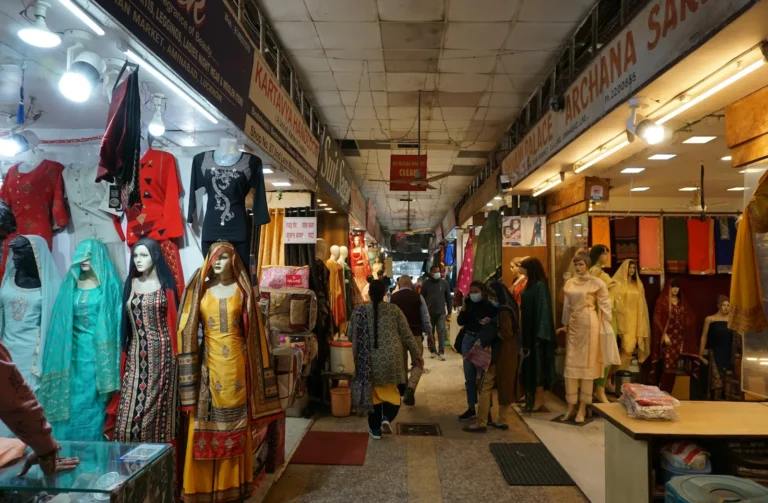
Here’s an illustrative example, not a client result. Take a garment retailer in Lajpat Nagar with 4,000 opted-in contacts, running two marketing broadcasts a month.
- 4,000 contacts × 2 broadcasts = 8,000 marketing messages delivered
- At ₹1.09 per marketing message: about ₹8,720 a month in message charges
- Platform subscription with a chatbot builder: roughly ₹2,500 a month
- Rough monthly total: around ₹11,200, before anyone’s time
Two things fall out of that arithmetic. First, message cost scales with list size, so a badly segmented list is expensive in a way an email list never was. Sending the same offer to 4,000 people when 1,200 actually buy that category wastes roughly ₹3,000 a month. Second, the conversations that follow used to be free and won’t be after 30 September 2026. At the utility and authentication rate, 600 replies across a month is loose change next to ₹8,720 of marketing sends, but it’s no longer zero, and quotes built on last year’s numbers will miss it.
One more thing to plan for: at 4,000 contacts you need a messaging limit well above the 250 starting tier, so business verification belongs in week one, not the week of the campaign.
What Should You Ask Before You Pay?
Ask the questions a vendor can’t answer with a feature list. These seven separate the platforms that will still suit you in a year from the ones that look good in a demo.
- Is this the official WhatsApp Business Platform, and will the account be created under my business portfolio?
- Are your per-message rates Meta’s rates at cost, or marked up? Show me the line item.
- What’s the subscription, what’s metered, and what’s an add-on?
- Will my account be billed in INR before the 31 December 2026 deadline?
- Can I export contacts, opt-in records and chat history myself?
- Who handles template rejections, and what’s the turnaround?
- What’s the notice period, and what happens to my number if I leave?
If a salesperson answers question 2 with “it works out cheaper overall,” ask again.
Where Does an Agency Fit If You’re Buying Software?

An agency is worth paying for when the bottleneck is what to send and to whom, not which dashboard to use. Software gives you the send button; it won’t write the offer, segment the list or decide that your Tuesday broadcast is annoying people.
Leyscale’s WhatsApp marketing service runs on the official API and is built for owner-led retail, F&B and services businesses in Delhi NCR. Starter covers API setup, two broadcasts a month, a basic FAQ chatbot and up to 1,000 contacts; Growth adds four broadcasts, order-capture flows, catalogue integration and 5,000 contacts; Premium adds eight segmented broadcasts, CRM integration, drip campaigns and 15,000-plus contacts. Our management fee follows the tier, and Meta’s per-message charges are billed to you directly at cost, which is the arrangement we’d tell you to demand from anyone. Tiers are on the packages page, and if the message itself is your problem rather than the software, WhatsApp marketing messages that get replies covers what to write.
FAQ
Is WhatsApp marketing software free?
The WhatsApp Business app is free and enough for a small shop replying from one phone. Paid platforms charge a monthly subscription, and Meta charges separately for every marketing, utility or authentication template message delivered, so “free forever” plans still carry per-message costs.
Do I need the WhatsApp Business API to use marketing software?
Yes, for anything beyond the free app’s 256-contact broadcast lists. Legitimate platforms onboard you onto Meta’s WhatsApp Business Platform; tools that skip that step are automating a normal account and risk a ban.
Is there a free bulk WhatsApp sender that’s safe to use?
No. Free bulk senders, bulk message sender Chrome extensions and cracked desktop tools all automate an ordinary WhatsApp account, and WhatsApp states that accounts using unofficial apps can be banned temporarily or permanently. Sending in bulk safely means the official platform, opted-in contacts and approved templates; if you can’t pay for that yet, the free WhatsApp Business app and its 256-contact broadcast lists are the honest option.
How much does WhatsApp marketing software cost in India?
Budget for two lines: a platform subscription (commonly a few thousand rupees a month) and Meta’s per-delivered-message charge, which one Indian provider publishes at ₹1.09 per marketing message and ₹0.145 per utility or authentication message as of September 2026. From 1 October 2026, service messages and utility replies inside the 24-hour window are chargeable too, so add a line for conversations.
How do I get WhatsApp blue tick verification, or the green tick?
There is no green tick any more. Meta’s documentation describes a blue checkmark for Official Business Accounts, granted only to businesses that have been on the WhatsApp Business Platform at least 30 days, completed business verification, enabled two-step verification and had a display name approved. You request it in WhatsApp Manager, it gets reviewed, and it can be denied.
Can I move to a different WhatsApp platform later?
Yes, if your business portfolio owns the WhatsApp Business Account. Confirm that in WhatsApp Manager before you sign, because a reseller-owned account is the thing that makes switching painful.
Not Sure Which Platform You Actually Need?
If you’re staring at four pricing pages and can’t tell which one is quoting Meta’s rates at cost, send us the quotes. Tell us your list size, how many people need to reply, and what you want to send, and we’ll tell you plainly whether you need software yet, which type fits, and where the markup is hiding.
About the Author