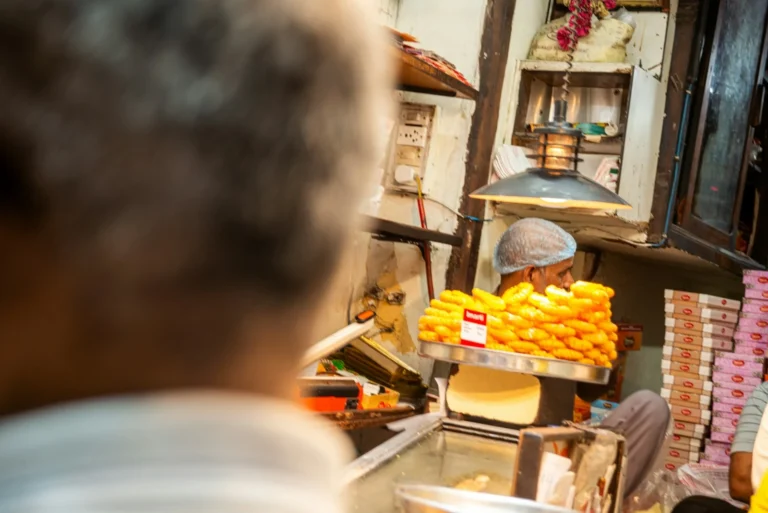
Picture a mithai shop in Lajpat Nagar two weeks before Diwali. The owner boosts an Instagram post, it collects a couple of thousand likes, and the phone barely rings. The next year they run the same photo as a WhatsApp ad, with a “Send message” button. This time the inbox fills with “Is the dry fruit box available in 1 kg?” and “Can you deliver to Defence Colony on Saturday?”
Same shop, same photo. The difference is where the ad sends people. A like ends on the screen. A WhatsApp chat is a customer asking a question you can answer and turn into an order.
Your customers are already used to this. In a 2025 Kantar study cited by Meta, 91% of online adults in India said they chat with businesses every week. This guide covers how WhatsApp ads work, what they really cost now that Meta is changing its pricing, and how to run a first campaign that doesn’t waste your budget.
TL;DR
- “WhatsApp ads” usually means Click-to-WhatsApp ads: Facebook or Instagram ads that open a WhatsApp chat with your business. Meta also sells ads in WhatsApp Status. There are no ads inside personal chats.
- You can run them from the free WhatsApp Business app or through the WhatsApp Business Platform (API). You always pay Meta for the ad itself.
- On the API in India, marketing messages cost ₹0.8631 each on Meta’s July 2026 rate card. Meta is also starting to charge for replies inside the 24-hour window (₹0.115) once a number uses its 1,000 free replies for the month.
- Chats that start from a Click-to-WhatsApp ad still get a 72-hour free messaging window if you reply within 24 hours, per Meta’s pricing page.
- The ad is the easy part. Most wasted budget comes from slow replies, so decide who answers the chats before you spend a rupee.
What Are WhatsApp Ads?
WhatsApp ads are Meta ads that either send people into a WhatsApp chat with your business or appear inside WhatsApp’s Status section. For most local businesses the useful format is the Click-to-WhatsApp ad, which runs on Facebook and Instagram and opens a chat when someone taps it.
There are three formats to know:
- Click-to-WhatsApp ads. These run across Facebook and Instagram placements, including Feed, Stories and Marketplace, and open a WhatsApp conversation with you, according to WhatsApp’s product page for ads that click to WhatsApp. This is the format the rest of this guide focuses on.
- Ads in WhatsApp Status. Meta announced them on June 16, 2025, saying the Updates tab where Status lives had 1.5 billion daily users worldwide. In India, Meta said in September 2025 that brands including Maruti Suzuki, Air India and Flipkart were already using them.
- Promoted channels. Paid placement for a WhatsApp Channel in the channel directory. Useful if you publish regular content, less so for a neighbourhood clinic.
A common worry from owners is privacy. Meta has said that personal messages, calls and the groups someone is in aren’t used to decide which ads they see, and that ads stay out of personal chats, per the same June 2025 announcement. Your promotion won’t land between someone’s family messages.
How Do WhatsApp Ads Work?
A Click-to-WhatsApp ad looks like any other Facebook or Instagram ad, but its button opens WhatsApp instead of a website. The person lands in a chat with your business number, often with suggested questions or a greeting you’ve set up, and the conversation carries on like any normal WhatsApp chat.
In practice it looks like this:
- Someone in Noida scrolling Instagram sees your salon’s bridal makeup Reel with a “Send message” button.
- They tap it. WhatsApp opens, showing your greeting and a suggested question such as “What are your bridal package prices?”
- They send it. You reply with prices, photos and open dates.
- If they book, you’ve turned an ad view into revenue without them filling in a single form.
Behind the scenes, Meta’s Business Help Center says your WhatsApp number must be connected to your Facebook Page or business portfolio. You can then run the campaign with a traffic, engagement, leads, sales or awareness objective. The same page describes a “Start conversation” message template, where you set the greeting and suggested questions, and, where available, a form built with WhatsApp Flows to collect details like appointment times inside the chat.
Status ads work a little differently. According to Meta’s guide to creating ads in WhatsApp Status, they can send people to a WhatsApp chat or a website. For the chat version you need both a Facebook Page and a WhatsApp Business account, and you must include the Instagram Stories placement to use the WhatsApp Status placement.
How Much Do WhatsApp Ads Cost in India?
WhatsApp ads cost the ad budget you set with Meta, plus per-message charges only if you run WhatsApp through the Business Platform (API). The WhatsApp Business app itself is free to use, per WhatsApp’s business FAQ, so if you answer ad chats from the app, the conversations add nothing to the bill.
Think of it as two separate costs.
Cost 1: the ad
You choose a daily budget and duration, and Meta charges you as the ad runs. There’s no fixed price per WhatsApp ad or per chat. What you pay depends on your audience, creative, season and how many other advertisers want the same people. Expect costs to rise around Diwali, wedding season and big sale weekends, when retailers across NCR are bidding for the same shoppers.
Cost 2: WhatsApp messages (API only)
Since July 1, 2025, Meta has charged per delivered template message rather than per conversation, according to Meta’s WhatsApp Business Platform pricing page. Its INR rate card for India, effective July 1, 2026 and linked from that page, lists these per-message list rates:
| Message type | What it’s for | India rate (INR, per delivered message) |
|---|---|---|
| Marketing | Offers, launches, “we miss you” messages | ₹0.8631 |
| Utility | Order updates, booking confirmations | ₹0.115 |
| Authentication | One-time passcodes | ₹0.115 |
| Service | Your normal replies inside the 24-hour customer service window | ₹0.115 after 1,000 free a month |
Utility and authentication rates can drop with volume tiers. Three things matter most if you’re planning ads.
New charges for service messages. Meta’s pricing page, updated September 10, 2026, says it will start charging for service messages, meaning your ordinary replies inside the 24-hour window, at the same rate as utility messages. Each business phone number gets a free tier of 1,000 delivered service messages a month, with no roll-over. Utility templates sent in response to customers inside that window, free since July 2025, will also be charged. A lot of guides online still describe the older, free-replies setup.
The free entry point window still applies to ad chats. When someone messages you from a Click-to-WhatsApp ad or your Facebook Page’s call-to-action button and you reply within 24 hours, Meta opens a 72-hour window where every message you send is free, per the same pricing page. There’s a catch: it only applies when the customer uses WhatsApp’s Android or iOS app, not WhatsApp Web or desktop.
INR billing deadline. Meta’s pricing page also says eligible businesses whose billing country is India must move all their WhatsApp Business accounts to INR by December 31, 2026. From January 1, 2027, Meta will stop delivering messages for accounts still billed in another currency. If a provider set your account up in USD, ask them about it now.
Rates change every quarter or so, so check Meta’s current rate card before you budget. That includes the numbers in this post.
Should You Run WhatsApp Ads From the Business App or the API?

Run them from the free WhatsApp Business app if a small team can handle the chats and you expect a manageable daily volume. Move to the WhatsApp Business Platform (API) when you need automated replies beyond the basics, a shared inbox across many agents, or ad leads flowing straight into a CRM.
The app is more capable than many owners realise. WhatsApp’s business app features page lists greeting and away messages, quick replies, a product catalogue, and linking up to 10 devices and agents to one account. And WhatsApp’s Help Center says you can create Facebook and Instagram ads straight from the Business app on the web: pick photos, write a description, choose an audience, set a daily budget and duration, and pay. Ads there usually take up to 24 hours to be approved.
| WhatsApp Business app | WhatsApp Business Platform (API) | |
|---|---|---|
| Messaging cost | Free | Per delivered message, as above; free inside the 72-hour ad window |
| Setup | Download, add your profile | Through Meta directly or a solution provider, usually with a monthly platform fee |
| Who can reply | Up to 10 linked devices and agents | Many agents through a shared inbox |
| Automation | Greeting, away messages, quick replies | Chatbots, WhatsApp Flows forms, CRM integration |
| Best for | Single-outlet shops, clinics, home bakers | Multi-outlet chains, high-volume food businesses, real estate |
Our view: most single-location businesses should start on the app. Run ads for a month, count the chats that actually arrive, and pay for API setup only when the volume says you need it.
Which Local Businesses Get the Most From WhatsApp Ads?
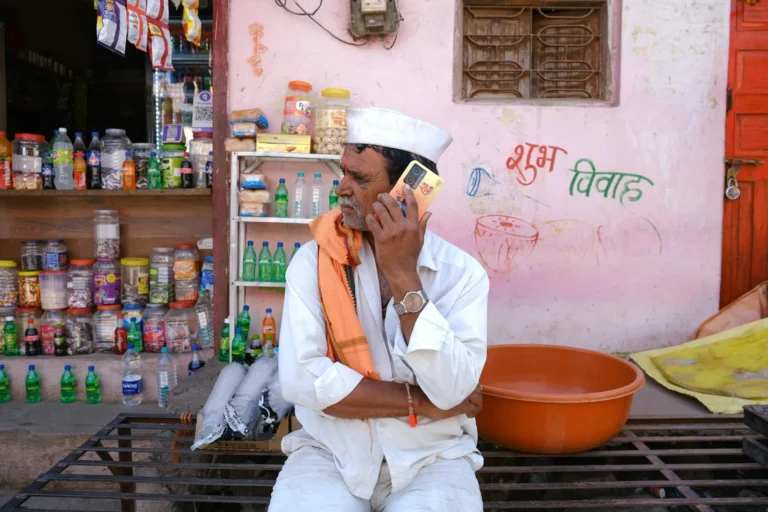
WhatsApp ads work best when a sale needs a short conversation first: a price, a date, a size, a delivery area. If customers can buy in two clicks on your website, a website ad is usually simpler. If they’d normally phone you before buying, a WhatsApp ad is often the better fit.
Good fits in Delhi NCR:
- Restaurants, cloud kitchens and bakeries taking direct orders, custom cakes and party bookings.
- Clinics, physiotherapists and dentists, where patients want to ask a question before booking.
- Salons and bridal studios, where packages get discussed and adjusted.
- Boutiques and jewellers, who can send photos of the exact piece someone asked about.
- Real estate brokers qualifying buyers before a site visit.
Weaker fits: very cheap impulse buys, where a chat adds friction, and any business with nobody free to reply while the ads run. The audience usually isn’t the constraint. DataReportal’s Digital 2026: India report (November 2025) puts Instagram’s ad reach in India at 481 million and Facebook’s at 403 million. The real limit is how many chats your team can answer well.
How Do You Set Up Your First WhatsApp Ad Campaign?

Connect your WhatsApp Business number to your Facebook Page, create a campaign in Ads Manager with WhatsApp as the message destination, and target a tight radius around your business. Then set up a greeting with suggested questions, use a creative that shows the real product or place, and start with a small test budget.
Here’s the sequence, based on Meta’s Ads Manager instructions with our own advice added:
- Fix your WhatsApp Business profile first. Name, hours, address, catalogue and greeting message. It’s the first thing people see after tapping.
- Connect WhatsApp to your Facebook Page (or business portfolio) and make sure you’re a Page admin.
- Create the campaign. In Ads Manager, pick Engagement or Leads for most local businesses. Choose “Message destinations” as the conversion location and tick WhatsApp.
- Target locally. A radius of a few kilometres around your shop or clinic usually beats “all of Delhi.” A café in Cyber Hub has no reason to pay for impressions in Dwarka. Run creatives in Hindi as well as English if your customers use both.
- Set up the message template. Write a short greeting and two or three suggested questions that match what people actually ask, like “Do you deliver to Sector 50?” or “What are your Diwali gift box prices?”
- Use a creative that shows the thing. A 15-second Reel of the cake, the clinic or the finished hairstyle. Stock images rarely work for local businesses.
- Give it time. Ad review can take up to 24 hours, and WhatsApp notes that results often improve after the first two days. Judge the campaign after a week, not after an afternoon.
- Track what happens after the chat. Tag each enquiry that became an order, even in a notebook. Otherwise you’ll know your cost per chat but not your cost per sale.
What Mistakes Waste WhatsApp Ad Budget?
The most expensive mistake is replying slowly: a chat left for three hours often belongs to a customer who’s already messaged someone else. After that come vague offers, audiences that are far too wide, and never following up with people who asked a question but didn’t buy.
A few more we see often:
- Running ads when nobody is on the phone. Schedule ads for hours you can respond, or set an away message with an honest reply time and stick to it. On the API, a late reply also means losing the free 72-hour window.
- Hiding the price. If every chat opens with “price?”, put a “starting from” price in the ad itself.
- Broadcasting to ad leads without permission. Asking about a cake isn’t the same as agreeing to weekly promotions. We cover WhatsApp’s opt-in rules, and what gets numbers restricted, in our guide to WhatsApp marketing messages.
- Judging the campaign on cost per chat alone. A ₹30 chat that never converts is worse than a ₹90 chat that books a ₹4,000 package.
- Budgeting with last year’s messaging costs. If you’re on the API and reply to a lot of customers outside ad chats, factor in the new service-message charges.
A Worked Example: A Noida Bakery’s First Month

This is an illustrative example, not a client result, to show how to read the numbers.
Say a bakery in Sector 18, Noida, spends ₹12,000 over 30 days on a Click-to-WhatsApp ad for custom birthday cakes, targeted within 6 km. It answers from the free WhatsApp Business app, so there are no messaging charges.
| Metric | Result |
|---|---|
| Ad spend | ₹12,000 |
| WhatsApp chats started | 200 (₹60 per chat) |
| Chats answered within 15 minutes | 150 |
| Orders placed | 36 (all from the fast replies) |
| Average order value | ₹1,800 |
| Revenue from ad-driven orders | ₹64,800 |
| Ad cost per order | ₹333 |
What the owner learns: the cost per chat looks fine, but 50 chats got slow replies and none of them turned into orders. If those had converted at the same rate as the fast ones (36 of 150, or 24%), faster replies alone could have added about 12 orders for the same spend. The fix for month two isn’t a bigger budget. It’s a second person on the phone during the evening rush.
If the same bakery later moved to the API, the ad chats themselves would still cost nothing to answer inside the 72-hour window. The new costs would be marketing broadcasts (₹0.8631 each) and routine replies to non-ad customers beyond 1,000 a month.
How Leyscale Runs WhatsApp Ads for Local Businesses
We treat WhatsApp ads as two jobs that have to work together. Our PPC advertising service plans and manages the Meta campaigns, and you pay Meta directly, so you always see the real ad spend. Our WhatsApp marketing service handles the other side: WhatsApp Business API setup when you need it, lead-capture flows, catalogue integration, and follow-up broadcasts sent only to people who’ve opted in.
For many owner-led businesses in Delhi NCR, the right start is smaller: one Meta campaign sending chats to the free app, with clear reply hours. You can compare tiers and bundle discounts on our packages page.
FAQ
What are WhatsApp ads?
WhatsApp ads are Meta ads that open a WhatsApp chat with your business from Facebook or Instagram, or appear in WhatsApp’s Status section. There are no ads inside personal chats.
Can I run WhatsApp ads without the WhatsApp Business API?
Yes. You can run Click-to-WhatsApp ads with the free WhatsApp Business app, and even create them from the app on the web. The API becomes useful when many people need to share one number or you want deeper automation.
How much do WhatsApp ads cost in India?
You set your own ad budget with Meta, and the cost per chat varies with audience, creative and season. If you use the API, Meta also charges per message, for example ₹0.8631 per marketing message in India on its July 2026 rate card, but chats from Click-to-WhatsApp ads get a 72-hour free window if you reply within 24 hours.
What’s changing in WhatsApp Business pricing?
Meta will start charging for service messages (normal replies inside the 24-hour window) after a free tier of 1,000 a month per business phone number, and for utility templates sent inside that window. In India, Meta’s rate card lists service messages at ₹0.115 each.
Are WhatsApp Status ads worth it for a small business?
They can build awareness, but for most local businesses Click-to-WhatsApp ads on Facebook and Instagram are the better first test because they start direct conversations. To run Status ads you also need to include the Instagram Stories placement.
Do WhatsApp ads show up in people’s chats?
No. Meta has said ads appear in the Updates tab, not in personal chats, and that personal messages, calls and groups aren’t used to decide which ads people see.
Want WhatsApp Ads That Turn Into Orders, Not Just Chats?
If you’re getting WhatsApp enquiries but can’t tell which ones come from ads, or you’re unsure whether you need the API at all, send us a message. Tell us what you sell and where, and we’ll suggest a simple first campaign and a realistic test budget.
About the Author