Last updated:
A bakery owner in Faridabad pays for a new website, waits three months, and still cannot find it on Google. Nothing is broken on the server. The homepage title just says “Home”, every product page has the same description, and the photos are named IMG_4471.jpg. Nobody told Google what any of the pages are about.
That is on-page SEO: the part of search optimisation that lives on your own pages and that you can check yourself. This on page SEO checklist walks through it in the order we would audit a small business site, so you can fix the basics before you spend money on anything bigger.
Key Takeaways
- An on page SEO checklist covers the things you control on a page: title, description, URL, headings, content, links, images and markup. The table below lists each one with a way to test it.
- Give every page its own title and meta description. Google says identical or near-identical descriptions across a site “aren’t helpful”.
- Use short, readable URLs, a clear H1, and descriptive anchor text for internal links.
- Write for people first. Google’s SEO starter guide says there is no magic word count and that keyword stuffing breaks its spam policies.
- Describe every meaningful image with short alt text.
- Re-run the on page SEO checklist every quarter, and after any change to a page’s offer, price or address.
- Aim for “good” Core Web Vitals: LCP of 2.5 seconds or less, INP of 200 ms or less, CLS of 0.1 or less.
- Work through the on page SEO checklist for your five most important pages first, not all 200.
What Is an On Page SEO Checklist?
An on page SEO checklist is a list of everything you review and change on a page itself to help search engines and readers understand it: the title, description, URL, headings, copy, links, images and structured data. Off-page SEO (links from other sites, reviews, mentions) is a separate job.
The reason to start here is control. You can fix every item below without anyone’s permission, and most take minutes. Google’s own advice is to make content that is “helpful, reliable, and people-first”, and each step in this on page SEO checklist serves that goal.
What Are the Main On Page SEO Factors and Techniques?
There are nine, and each one can be tested without paid software. Use this table as your on page SEO checklist, then read the sections after it for the detail on each.
| Factor | What to check | How to test it |
|---|---|---|
| Title tag | Unique, descriptive, main phrase near the front | Search site:yourdomain.com and read the titles, or view page source |
| Meta description | Unique per key page, says what the visitor gets | View page source; Google may still rewrite it |
| URL | Short, readable words, no random IDs | Read it aloud |
| Headings | One clear H1, H2s for sections | View source or a browser “inspect” |
| Content | Answers the question, original, current | Read it as a customer |
| Internal links | Descriptive anchor text, every key page linked | URL Inspection tool in Search Console, or click through |
| Images | Short alt text, descriptive file names | Inspect the image or check your CMS media library |
| Speed | LCP, INP and CLS in the “good” range | PageSpeed Insights |
| Schema | Valid JSON-LD that matches visible content | Rich Results Test |
How Do You Pick One Keyword Per Page for an On Page SEO Checklist?
Choose the single search phrase a customer would type to find that exact page, then write the page to answer it. A plumber’s “water tank cleaning” page and “geyser repair” page should target different phrases, not both chase “plumber”.
A quick test: say the phrase out loud as a question a customer might ask. If one page cannot answer it, you may need two pages. If two pages answer it, merge them or point one at a different phrase, otherwise they compete with each other. This step comes first in any good on page SEO checklist, because every other check depends on knowing what the page is for.
How Should You Write Title Tags?
The title tag is the first line of any on page SEO checklist. Give every page a unique, descriptive title that says what the page is, with the main phrase near the front. Google’s title guidance asks for unique, descriptive titles, concise wording, no keyword stuffing, and brand name added briefly at the start or end.
Google sets no character limit, because long titles are cut to fit the device width. Our rule of thumb is to stay around 60 characters so the important words are not cut off (this is our habit, not a Google rule).
| Weak | Better |
|---|---|
| Home | Birthday Cakes in Faridabad – Sweet Crumbs Bakery |
| Services | Sweet Crumbs | Custom Wedding Cakes, Faridabad | Sweet Crumbs |
Also be aware that Google may rewrite titles it finds vague, repetitive or mismatched with the page, so an honest title is the safest one.
How Do You Write a Meta Description?
The meta description is the second item on the on page SEO checklist, and the quickest to fix in bulk. Summarise the page in a sentence or two that would make the right person click. Google says it builds snippets mainly from the page content and sometimes uses your description when it is a more accurate summary, so a good one helps but is never guaranteed to show.
Write a different one for each page, at least for your key pages. If you cannot cover everything, Google suggests prioritising the homepage and your most popular content. Avoid listing keywords; describe what the visitor will find, and add a useful detail such as a price range or service area.
What Makes a Good URL?
A good URL is short and readable, with words that describe the page, such as /wedding-cakes/ instead of /page?id=7731. Google recommends descriptive words in URLs because they help people judge a result before clicking.
On an on page SEO checklist, the URL is the cheapest item to get right at the start and the costliest to change later. Set your URL once and leave it. Avoid putting a year in it, since refreshing the post later would mean changing the address.
How Should You Structure Headings?
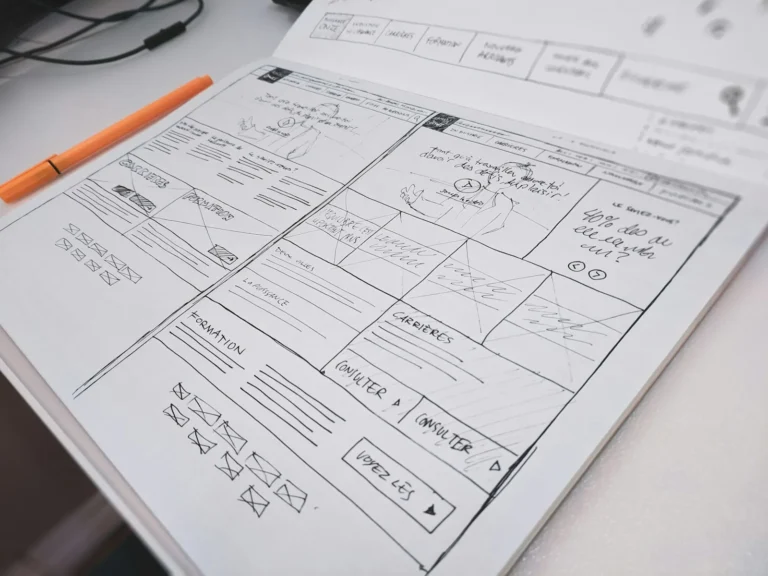
Use one clear H1 that says what the page is about, and H2s for the main sections underneath. Google’s title guidance points to a distinctive, prominent heading such as the first visible H1 as a signal for what the page is called.
Headings are where an on page SEO checklist meets plain readability. Do not worry about perfect order. The starter guide says heading order doesn’t matter for Google Search, though a logical order still helps people using screen readers. It also says there is no ideal number of headings; if a page looks like it has too many, it probably does.
How Long Should the Content Be, and What Should It Cover?

As long as it takes to fully answer the visitor’s question, and no longer. Google’s guide says there is no magical word count target, minimum or maximum, and that length alone does not affect ranking.
What to check on each page:
- The first paragraph answers the main question or says what the page offers.
- The information is original: your prices, your process, your photos, your local details.
- Facts are current. Remove old offers, retired services and wrong contact details.
- The main phrase appears naturally. If it reads awkwardly aloud, rewrite the sentence.
- There is a clear next step: call, WhatsApp, book, visit.
Keyword stuffing, meaning excessive repetition of the same words, is listed by Google as a spam policy violation, so more repetition is not more rankings. An on page SEO checklist is there to make a page clearer, not louder.
How Do You Use Internal Links Properly?
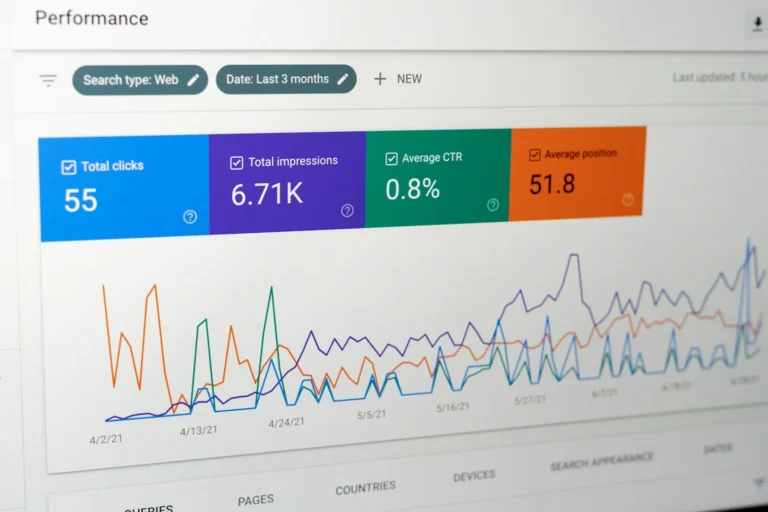
Link from each page to related pages with descriptive anchor text, and make sure every page you care about is linked from at least one other page. Google advises concise, relevant anchor text and warns that “click here” or “read more” tell readers and Google very little.
Internal links are the item on the on page SEO checklist that small sites miss most often. Links also need to be real: an <a> element with an href. Buttons built only with scripts may not be followed. Read each anchor on its own; if it does not say where it leads, rewrite it. For example, a service page can link to a local SEO checklist for Google Business Profile and a post can link back to the SEO services page.
How Do You Optimise Images?

Give every meaningful image short, accurate alt text and a descriptive file name, and place it near the text it illustrates. Google calls alt text the most important metadata for an image, and warns against stuffing it with keywords.
Images are the easiest tick on the on page SEO checklist, because the fix is one sentence per photo. So “Three-tier chocolate wedding cake with fresh roses” beats “cake best cake Faridabad cheap cake”. Use a name like chocolate-wedding-cake.jpg instead of IMG_4471.jpg. If an image is a link, the alt text acts as the anchor text, so describe where it goes.
Does Page Speed Belong on an On Page SEO Checklist?
Yes, as part of overall page experience, and the practical target is Core Web Vitals. Google’s web.dev defines “good” as Largest Contentful Paint at 2.5 seconds or less, Interaction to Next Paint at 200 milliseconds or less, and Cumulative Layout Shift at 0.1 or less, measured at the 75th percentile of visits. Free PageSpeed Insights reports all three, using real-user data from the last 28 days where your page has enough traffic, plus a lab test.
In plain terms: the main content appears fast, the page responds quickly when tapped, and things do not jump around while loading. Large uncompressed photos are the usual culprit on small business sites, so resize them before uploading.
Do You Need Schema Markup?
It is optional but useful where it fits. Structured data gives Google explicit clues about a page, and Google recommends JSON-LD when your setup allows it. The rule is that markup must describe content visible on the page.
Schema sits last on the on page SEO checklist for a reason: it helps only after the basics are right. Check it with the Rich Results Test. Common picks for a small business are Article for blog posts and LocalBusiness for your address page. One caution: Google no longer shows FAQ rich results, which it retired in 2026, so do not add FAQ markup hoping for expanded listings.
What Does a Real On Page SEO Checklist Audit Look Like?

Here is an illustrative example (the business and fixes are made up, not a client case). Say a Faridabad bakery has five key pages: home, wedding cakes, birthday cakes, custom orders and contact. Running the on page SEO checklist across them turns up six jobs.
- Titles: Home says “Home”. Fix: “Cakes in Faridabad – Sweet Crumbs Bakery”.
- Descriptions: All five are blank, so Google picks random text. Fix: one specific sentence each, with delivery area and starting price.
- Headings: The wedding page has three H1s. Fix: one H1, three H2s.
- Images: 28 photos named IMG_xxxx with no alt text. Fix: rename and describe the 10 on the wedding page first.
- Internal links: The contact page is linked only from the footer. Fix: a link to it from every cake page.
- Speed: The homepage hero photo is 4 MB. Fix: resize and compress.
That is about two hours of work, no tools to buy. Re-check in a few weeks in Google Search Console rather than expecting overnight movement.
When Should You Hire Help With Your On Page SEO Checklist?
Once the basics above are done and traffic is still flat, the problem is usually bigger: content that does not match what people search, a thin set of pages, weak local presence, or technical issues you cannot see. That is when a specialist saves time. If you want an expert to run this on page SEO checklist on your site, see our SEO services or packages, or get in touch.
FAQ
What is an on page SEO checklist?
It is a list of the page-level elements you review and fix to help search engines understand a page: title, description, URL, headings, content, links, images, speed and markup.
What are the most important on-page SEO techniques?
Unique titles and descriptions, helpful original content, a clear H1, descriptive internal links and image alt text. These give the biggest return for the least effort on a small site.
How many keywords should I use on a page?
Pick one main phrase per page and write naturally. Google gives no keyword density target and treats excessive repetition as spam.
How long should a page or blog post be?
Long enough to answer the question fully. Google says there is no minimum or maximum word count.
Does on-page SEO work without backlinks?
It makes your page eligible and easier to understand, which helps most for local and low-competition searches. It does not guarantee rankings, and stronger competition may need more than on-page work.
How often should I check my on-page SEO?
Do a full pass of your on page SEO checklist on your key pages every quarter, and re-check any page whenever you change its offer, price or address.
Want a Second Pair of Eyes on Your Site?
Leyscale Digital’s SEO plans start with a technical audit and on-page optimisation of your key pages. Talk to us and we will tell you what to fix first.
About the Author